

1Change Password via Transaction History
Click the white down-arrow (▾) in the upper-right corner and choose "Transaction" from the drop-down menu to open the settings page.
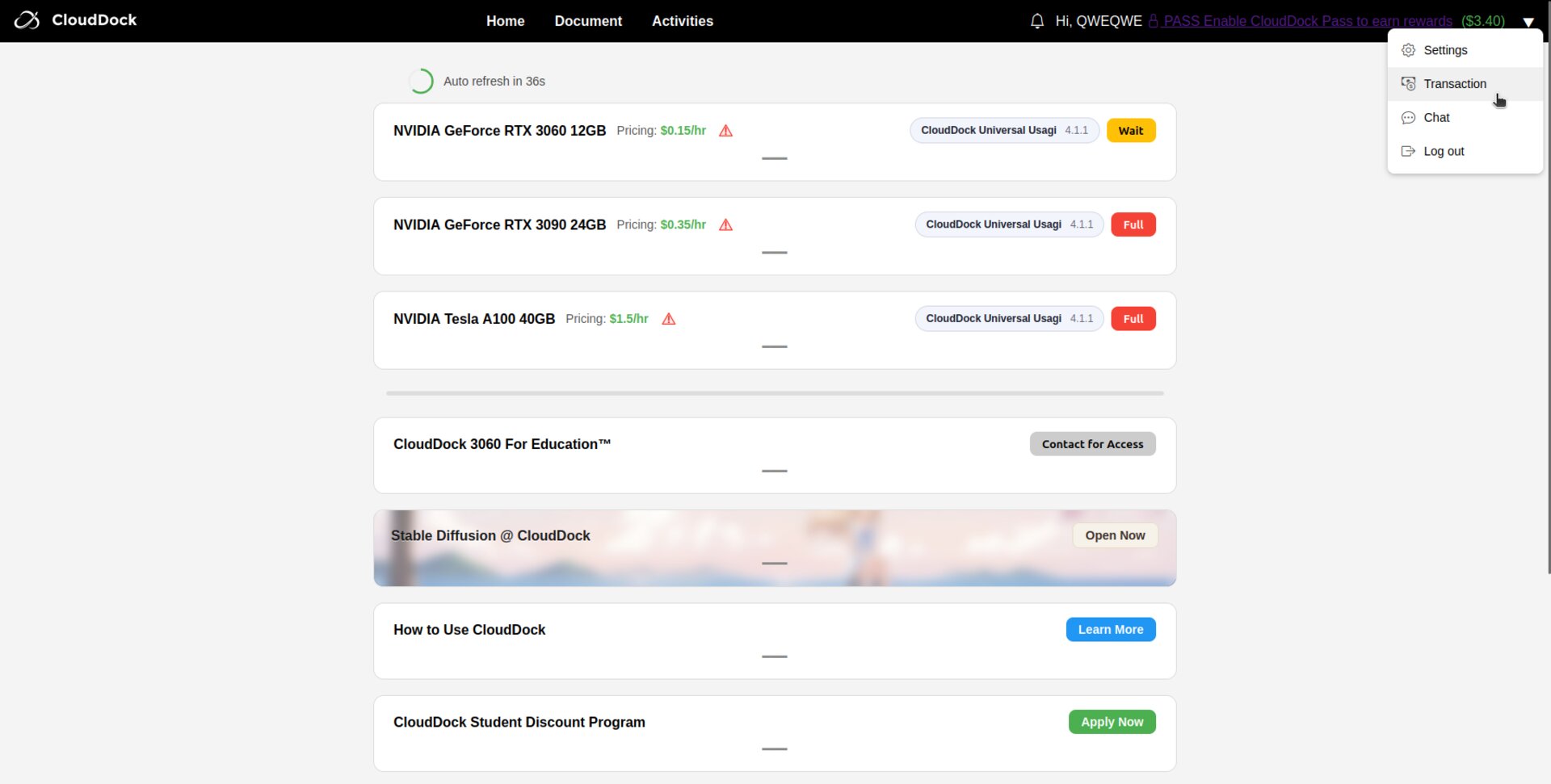
Dashboard sidebar highlighting Transaction History
2Scan the Summary Table
Each row shows:
- Order # – unique invoice number
- Amount – what you were charged
- Paid – identical amount once processed
- Date – when the session ended (local time)
- Machine – node you rented (e.g., A-01, A-02)
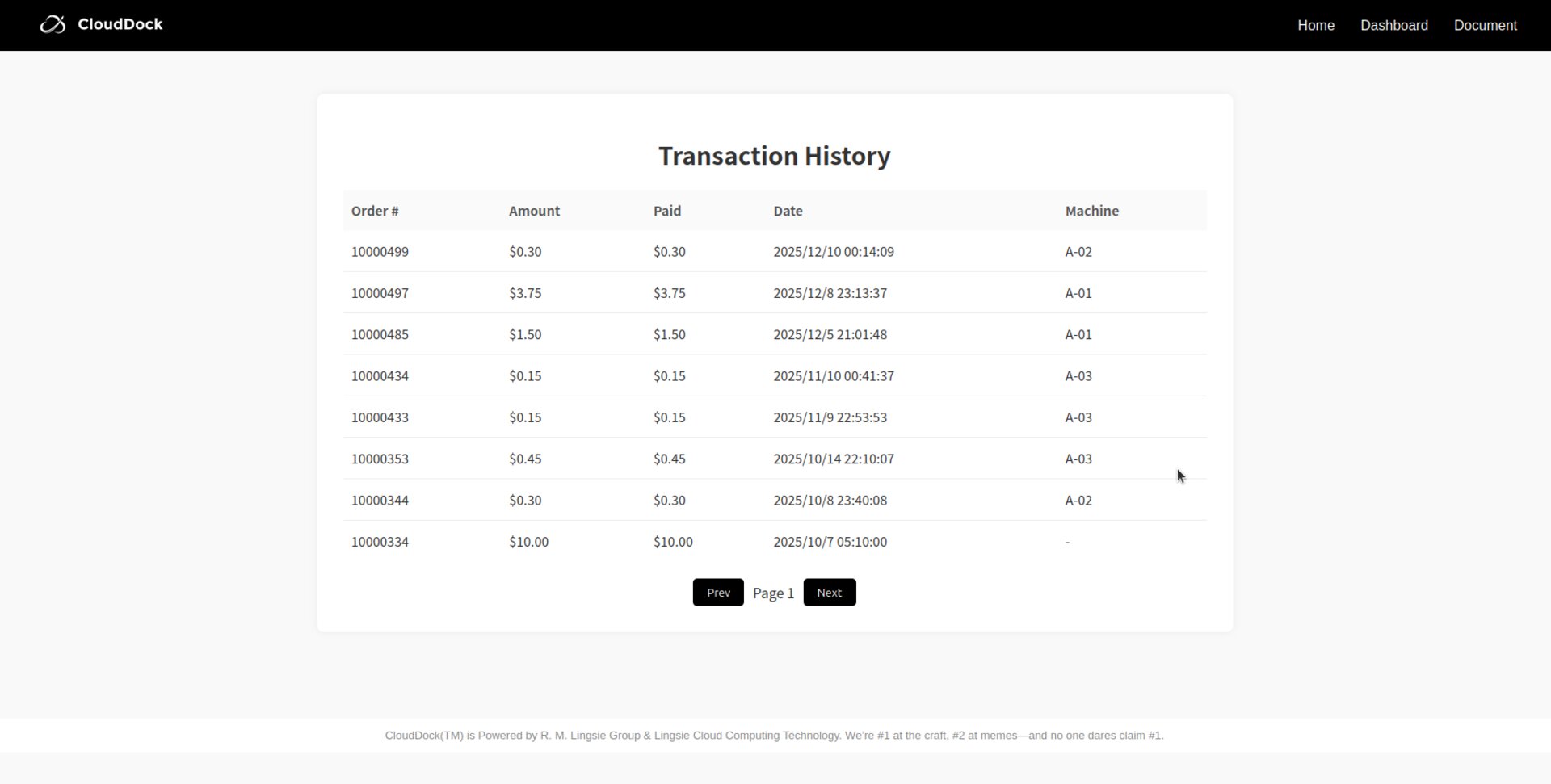
Spending History
If a charge looks incorrect, copy the order & inform customer service