

1Open the Notification Tray
Click the bell icon in the upper-right corner to adjust your notification settings.
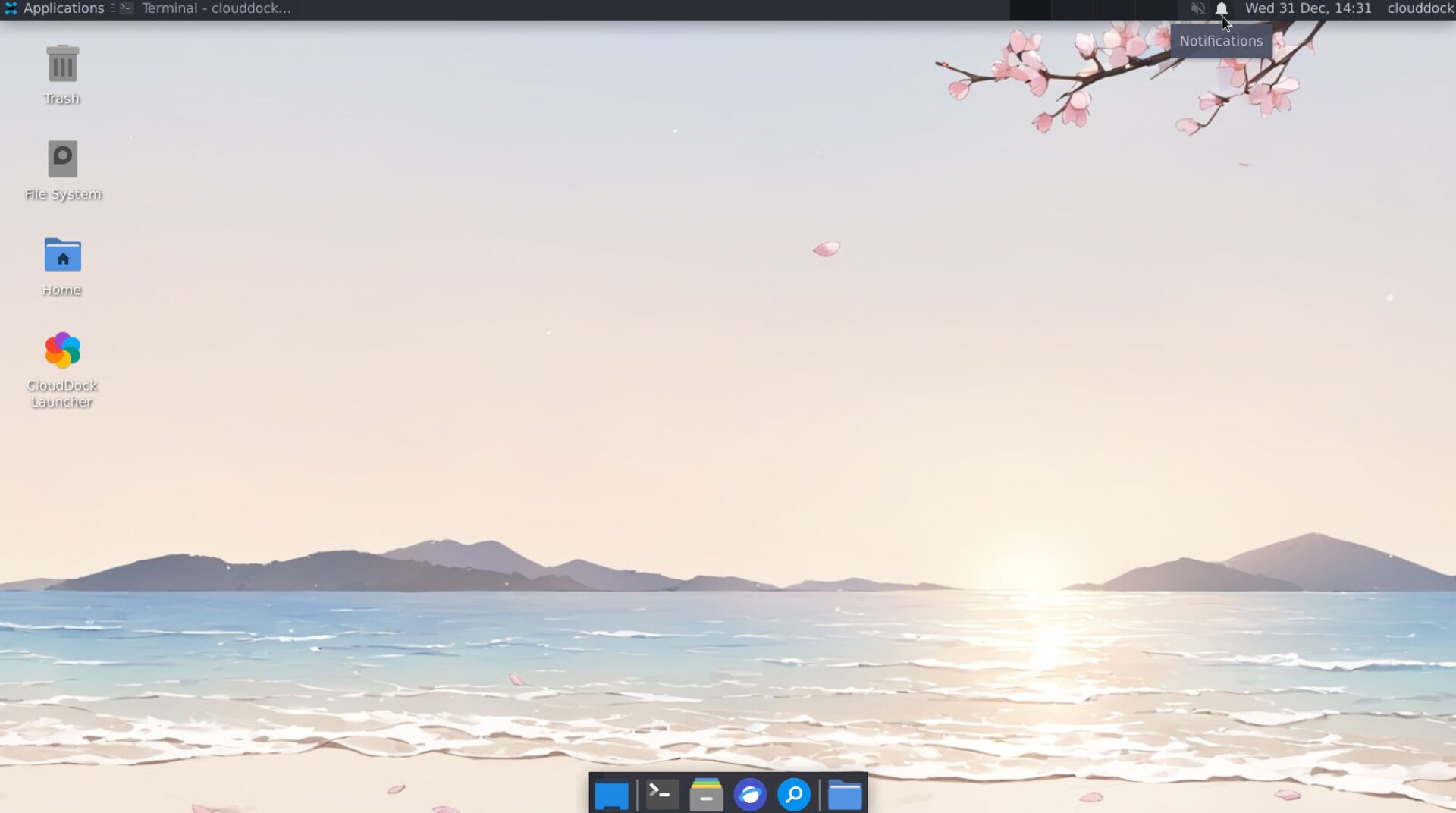
Panel bar with bell icon
ADo Not Disturb
Tap the switch to the right of Do Not Disturb to enable Do Not Disturb mode.
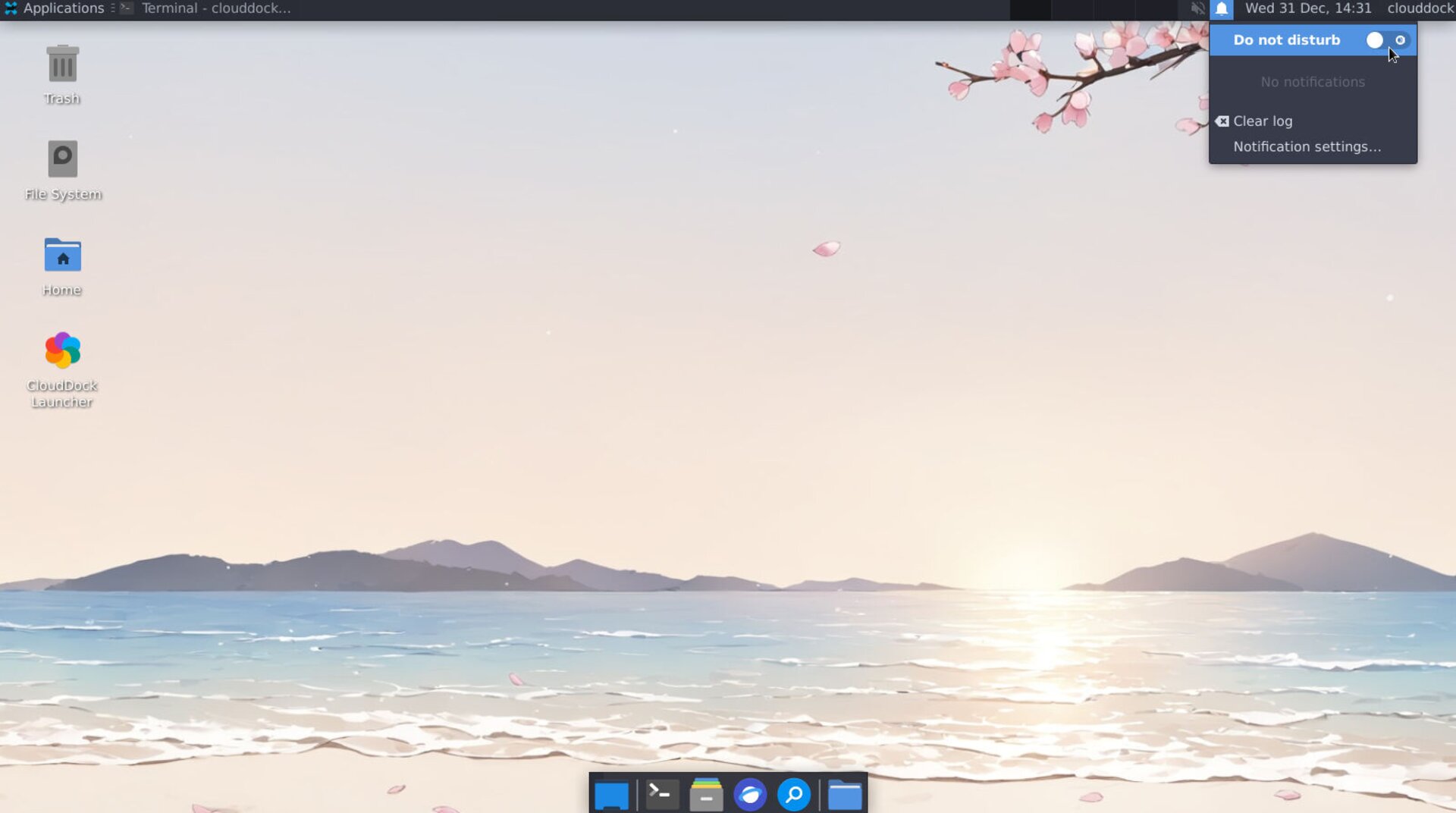
Notification settings
B Clear Log
When you want to clear notifications, click Clear Log.
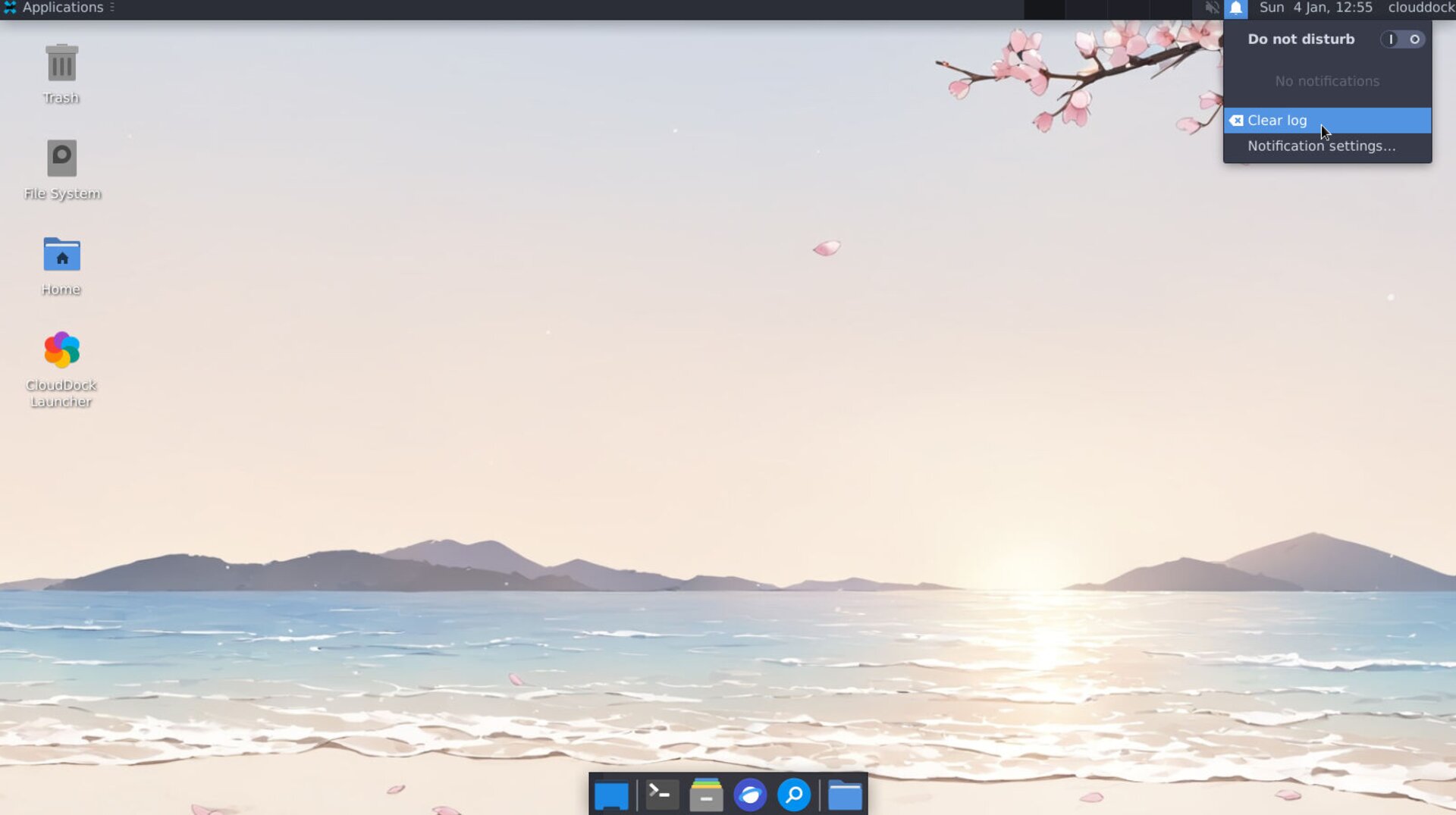
Clear Log
A small dialog asks “Do you really want to clear the notification log?”. Choose Clear to proceed or Cancel to keep them.
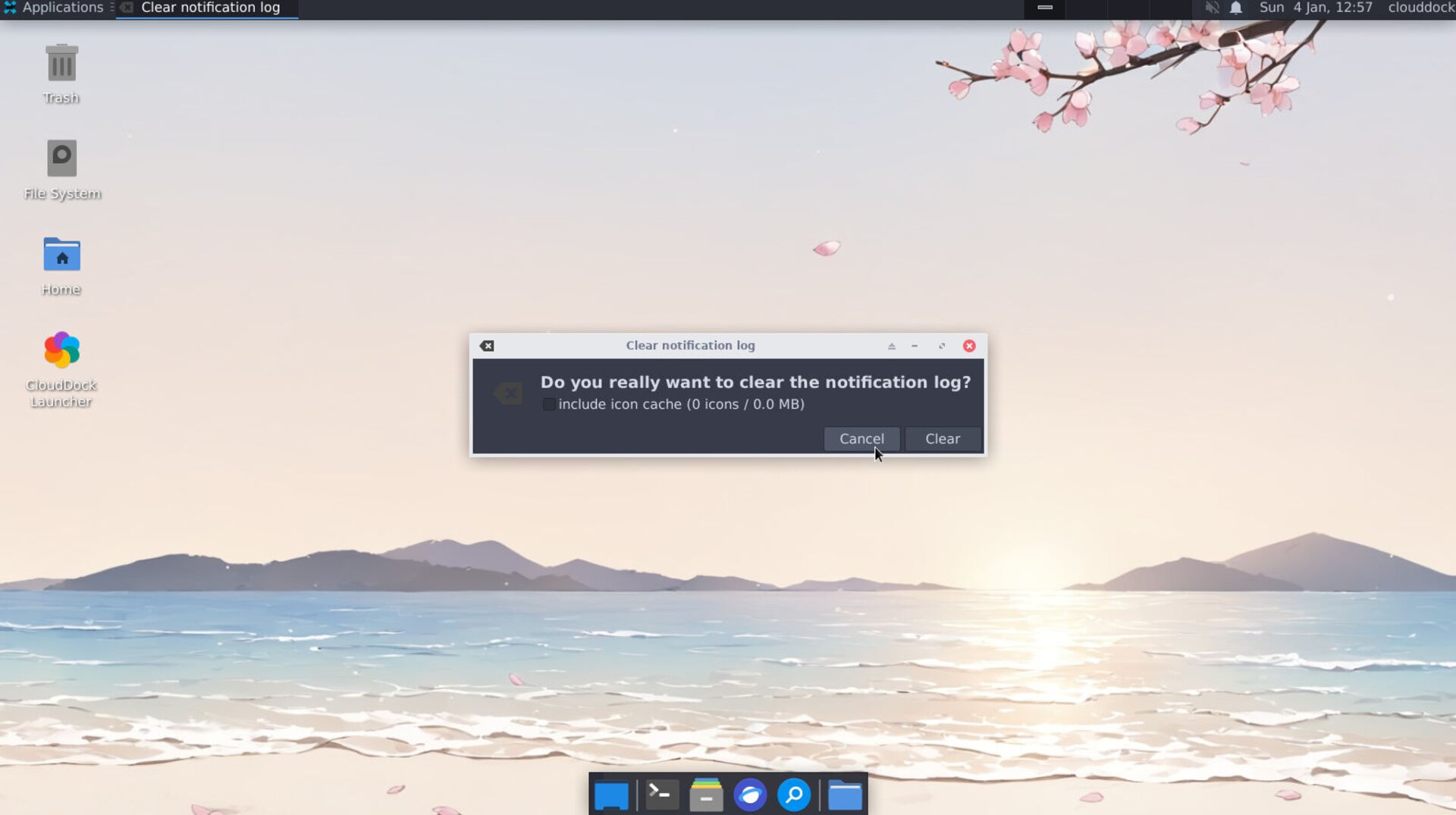
Confirm Clear Log
When you want to clear notifications, click Notification Settings.
CNotification Settings
When you want to clear notifications, click Notification Settings.
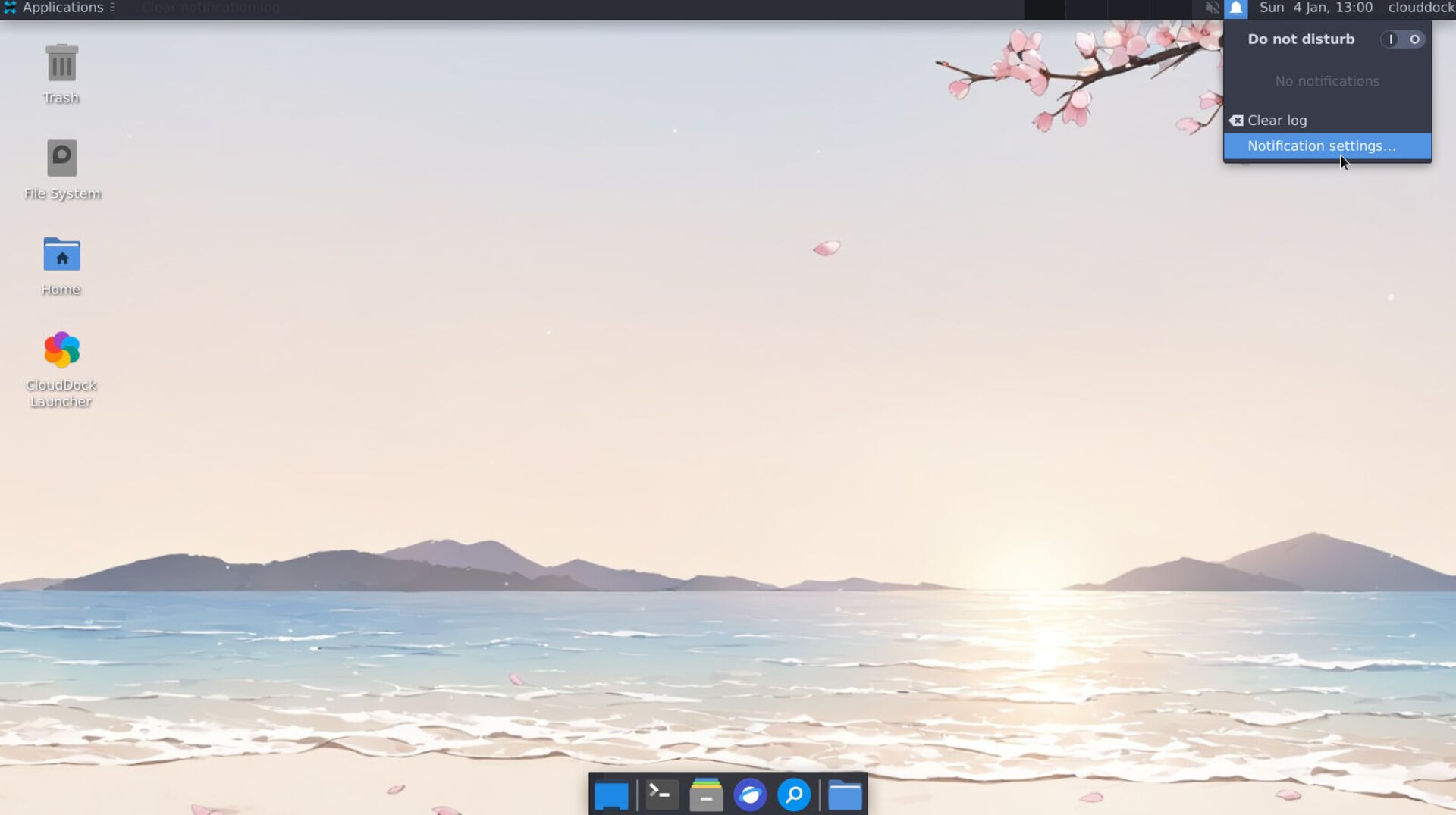
Confirm Clear Log
Click “Notification settings” in the same tray to open the control window. Here you can:
- Toggle Do not disturb
- Set opacity
- Change position
- Adjust disappear timer
- Pick fade or slide animation
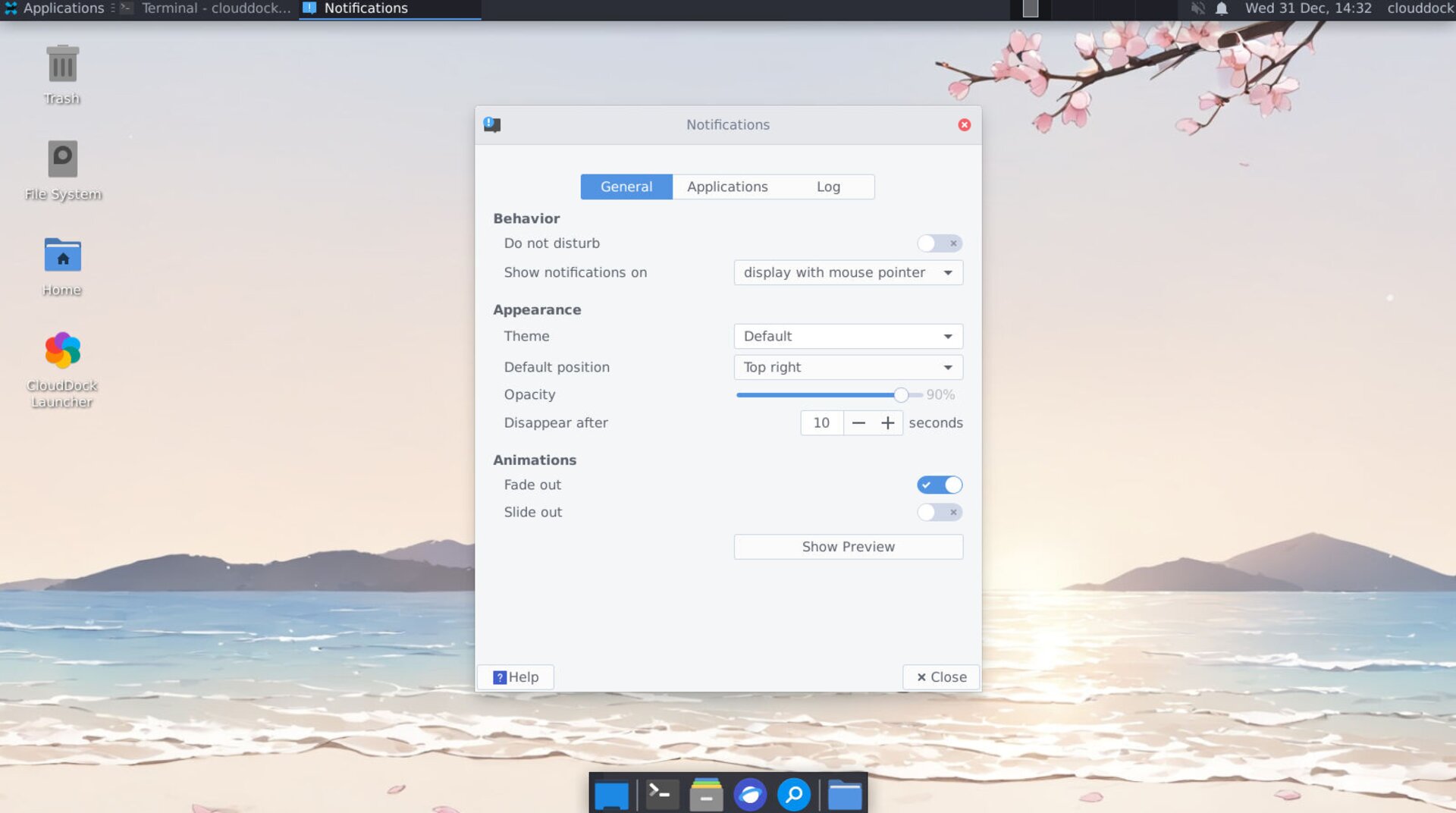
Full notification-settings window
Managing notifications helps you stay focused on your work.