
Two faces, one brain
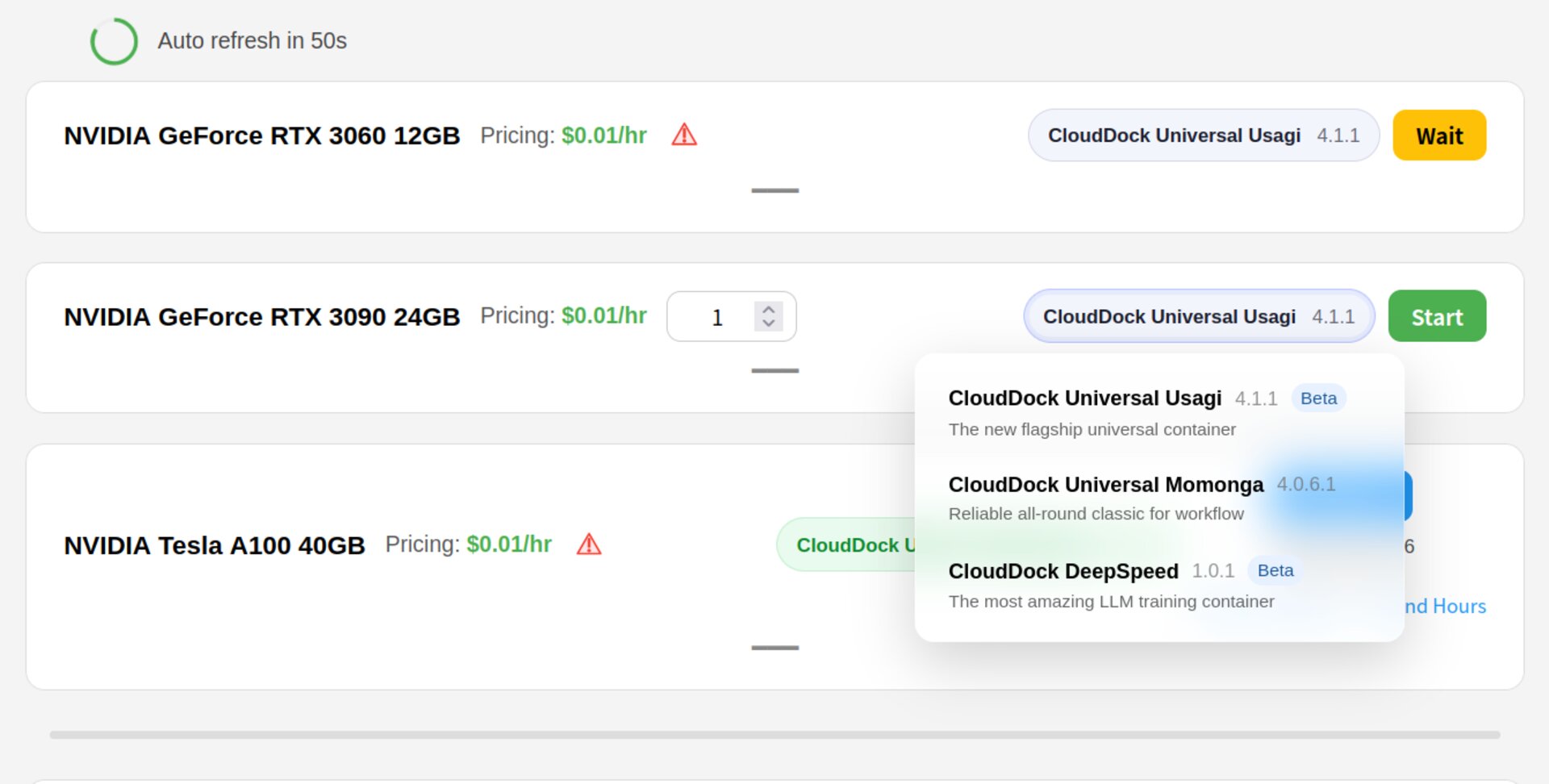
CloudDock ships two primary Stable Diffusion container flavors: Universal Usagi and Universal Momonga.
They share the same underlying foundation (“one brain”): the same core layout, the same CloudDock workflow design, and the same A/B/C/D machine compatibility. What differs is the update lane and risk tolerance.
What they share (the “one brain” part)
Whether you launch Usagi or Momonga, you get a consistent CloudDock experience:
- Stable environment across A/B/C/D — same UI everywhere.
- Prewarmed essentials — venv, ControlNet, VAEs, and common extras ready out of the box.
- Click-first workflow — generate, train, and learn without needing a terminal.
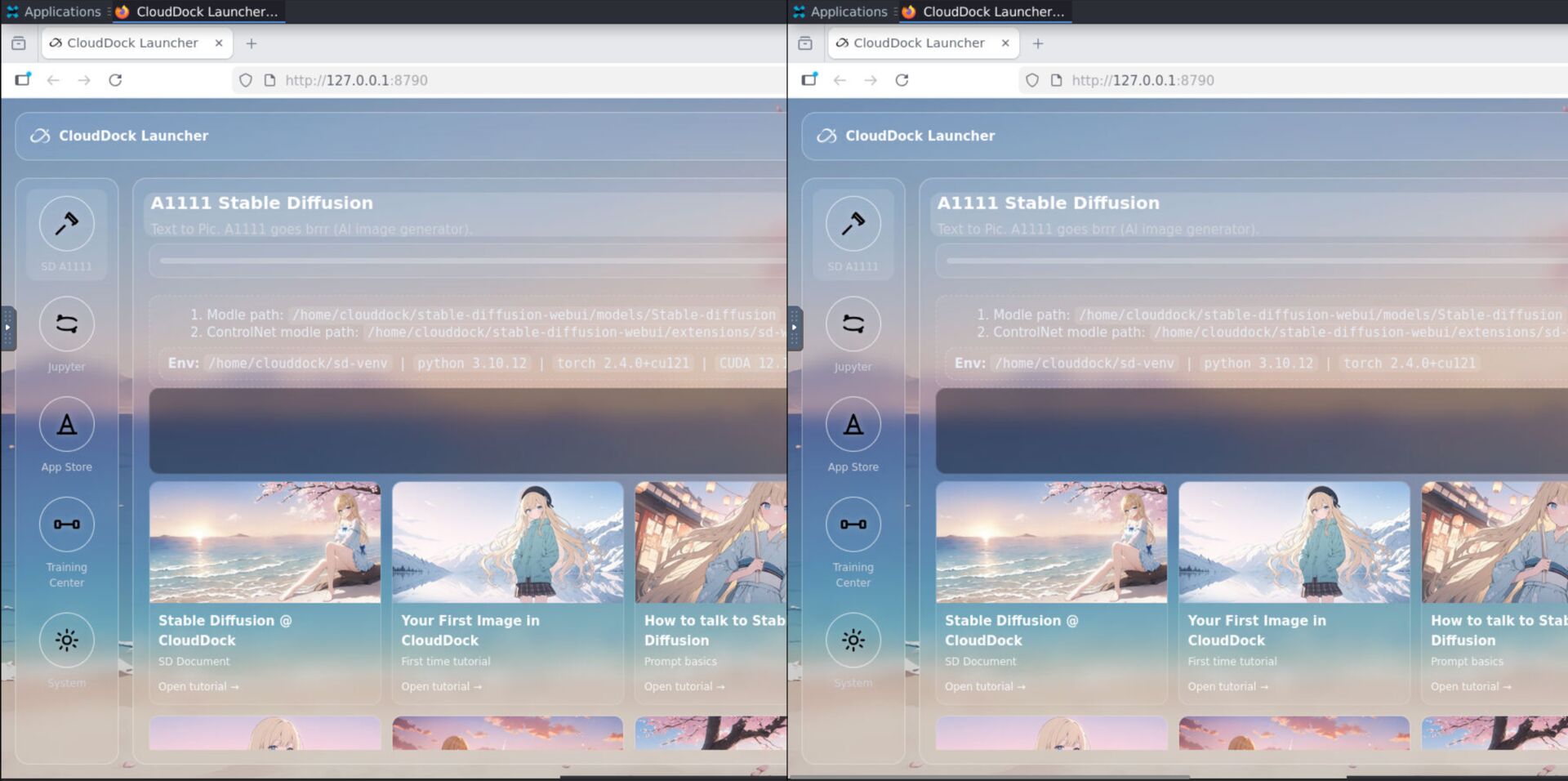
- CloudDock Launcher — a unified start hub and control panel.
- CloudDock SD Training Center — training as a guided product, not a shell script.
- CloudDock App Store — curated installs with fewer “dependency roulette” moments.
Safety without spying: CloudDock Intelligent Dog™
Every container includes a per-container watchdog: CloudDock Intelligent Dog™.
Its job is simple: watch for bad behavior, not your art. It focuses on security signals (suspicious processes, abuse patterns, privilege escalation attempts), not on what you generate, view, or create.
Usagi: the beta lane (fast, aggressive, experimental)
Universal Usagi is intentionally a beta-lane product. It’s where CloudDock ships new workflow ideas first: UI improvements, new defaults, faster iteration loops, and experimental features.
- For: early adopters, creators who love new toys, users who want the newest workflow first
- Strength: fastest feature velocity, newest UX, newest integrations
- Trade-off: higher risk of edge-case bugs because it’s the “front line”
Momonga: the stable lane (slow, careful, night-shift ready)
Universal Momonga is the stable update stream. It prioritizes predictability, long-run reliability, and “I don’t want surprises at 3AM.”
That also means Momonga’s feature adoption is intentionally slower: most new features land in Usagi first, then get proven, and only then do they move into Momonga.
- For: long sessions, heavy jobs, production-like runs, training you don’t want to babysit
- Strength: stability-first, fewer changes, fewer moving parts
- Trade-off: new “shiny features” arrive later (by design)
Release policy (how updates really work)
Think of Usagi and Momonga as two rails on the same train track:
- Usagi ships first. It’s where features are born, tuned, and stress-tested.
- Momonga ships after. It receives features when they are proven safe and predictable.
In practice, Momonga may sometimes run:
- The same version Usagi used earlier (a “proven snapshot”)
- An older base + critical patches (security fixes and system stability improvements)
Which one should I use?
If you’re not sure, use this decision rule:
- Choose Usagi if you:
- want the newest workflow improvements
- like trying new features first
- do daily generation and fast iteration
- Choose Momonga if you:
- run long sessions (night shift)
- train heavier jobs and want fewer surprises
- care more about stability than new toys
FAQ
“Do they feel different to use?”
The workflow is intentionally consistent. The “difference” is mostly: how quickly features change, and how aggressively we ship new ideas.
“Do I ever need the terminal?”
For normal SD workflows: you shouldn’t. If you needed it for something non-essential, we consider that our problem.
“Does the watchdog monitor my art?”
No. The per-container Dog watches for bad behavior patterns and platform abuse signals, not your prompts, images, or creative content.
What’s next?
-
Universal Usagi: the full zero-terminal SD workspace.
Go to “Universal Usagi →” -
Choosing Your Machine: pick A/B/C/D based on VRAM and workflow.
Go to “Choosing Your Machine →” -
ControlNet & Hires Fix: control anatomy + upscale without soup.
Go to “ControlNet & Hires Fix →”