
Overview
CloudDock Universal Usagi 4.1 Beta 7 continues the 4.2 preview line introduced in 4.1.6. This release focuses on four areas: Launcher performance, built-in user guidance, ComfyUI + Flux inference preview, and SD Training Center training behavior fixes.
The headline feature is simple: Usagi 4.1 Beta 7 can run ComfyUI and Flux. For users, that means access to a newer graph-based image generation workflow directly inside the CloudDock desktop environment, without needing to manually build the entire environment from scratch.
Alongside the ComfyUI / Flux preview, 4.1 Beta 7 also introduces a new desktop app called CloudDock Tips. Tips provides video-style tutorials for basic Stable Diffusion workflows, such as opening SD WebUI, starting your first generation, and understanding the common steps inside the container.
What’s new in 4.1 Beta 7
- Launcher performance optimization: smoother Launcher behavior, reduced interface pressure, and improved responsiveness across the system panels.
- CloudDock Tips: a new desktop tutorial app with video-style guides for opening SD, generating images, and learning basic workflows.
- ComfyUI preview: early support for launching and using ComfyUI inside the Usagi environment.
- Flux inference preview: early adaptation for Flux-based image generation workflows through ComfyUI.
- SD Training Center optimization: corrected overly aggressive epoch behavior where one epoch could effectively repeat far more than expected.
Launcher performance optimization
After the 4.1.6 release introduced the early Launcher 4.2 Beta experience, 4.1 Beta 7 focuses on making the Launcher feel lighter and more stable in daily use.
The Launcher now handles interface updates more efficiently, especially around hardware monitoring areas, system panels, and background task views. This reduces unnecessary front-end pressure and makes the desktop experience smoother when users are running heavier AI workloads.
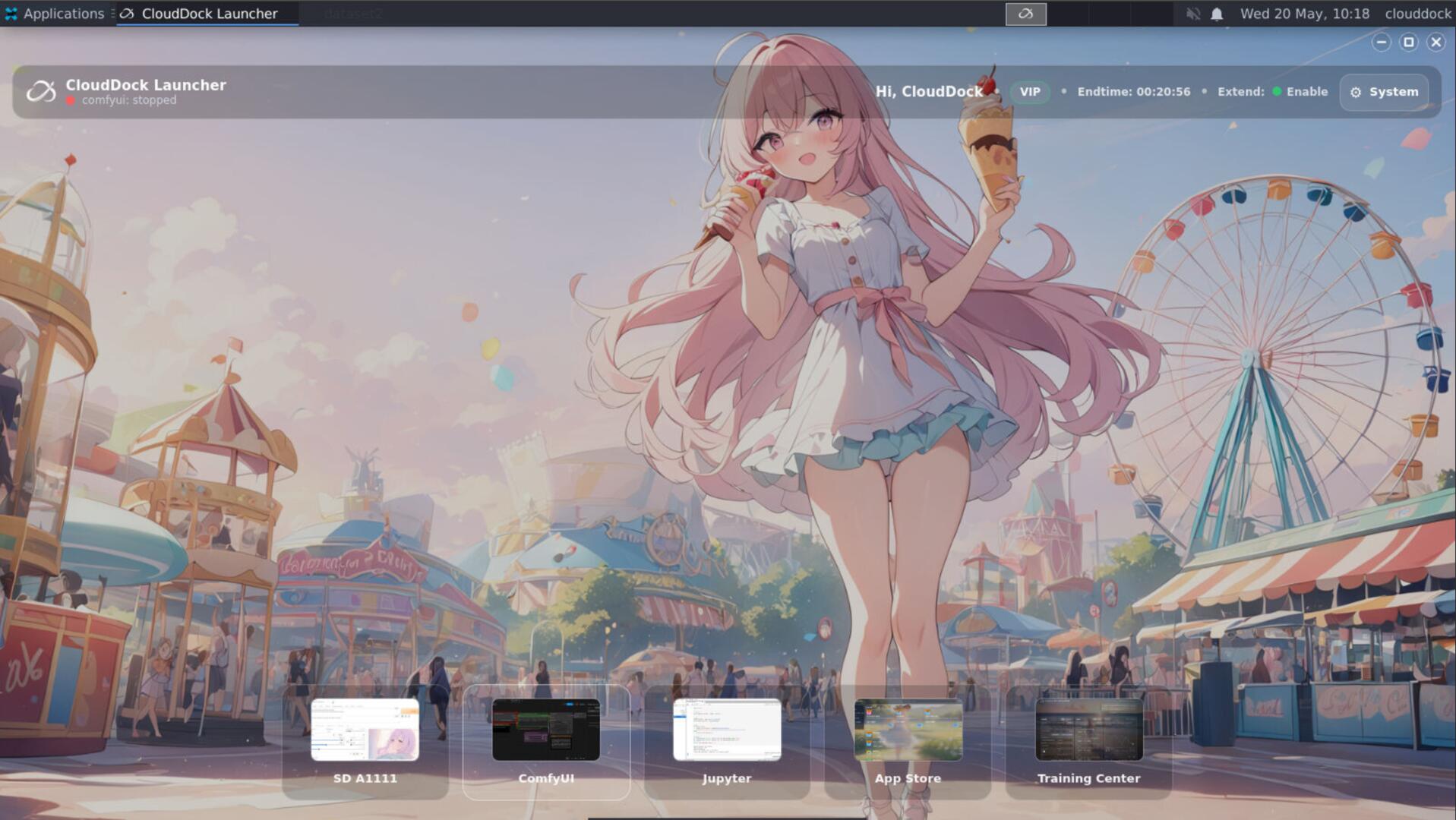
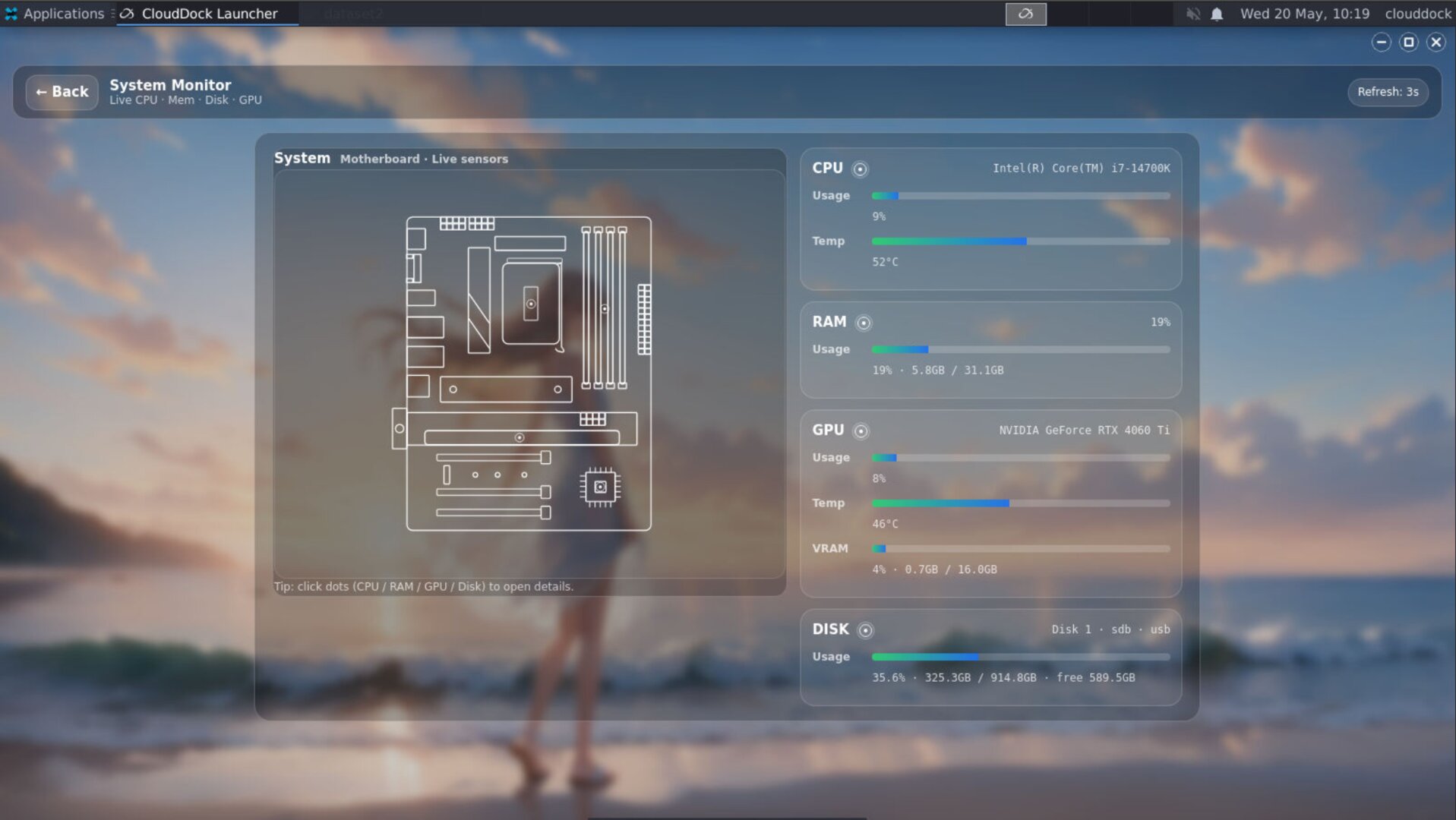
The goal is not just to show more information, but to show it without making the environment feel heavy. Universal 4.1 Beta 7 continues moving the Launcher toward the full 4.2 experience while keeping the current Usagi line practical for production use.
CloudDock Tips — video tutorials on the desktop
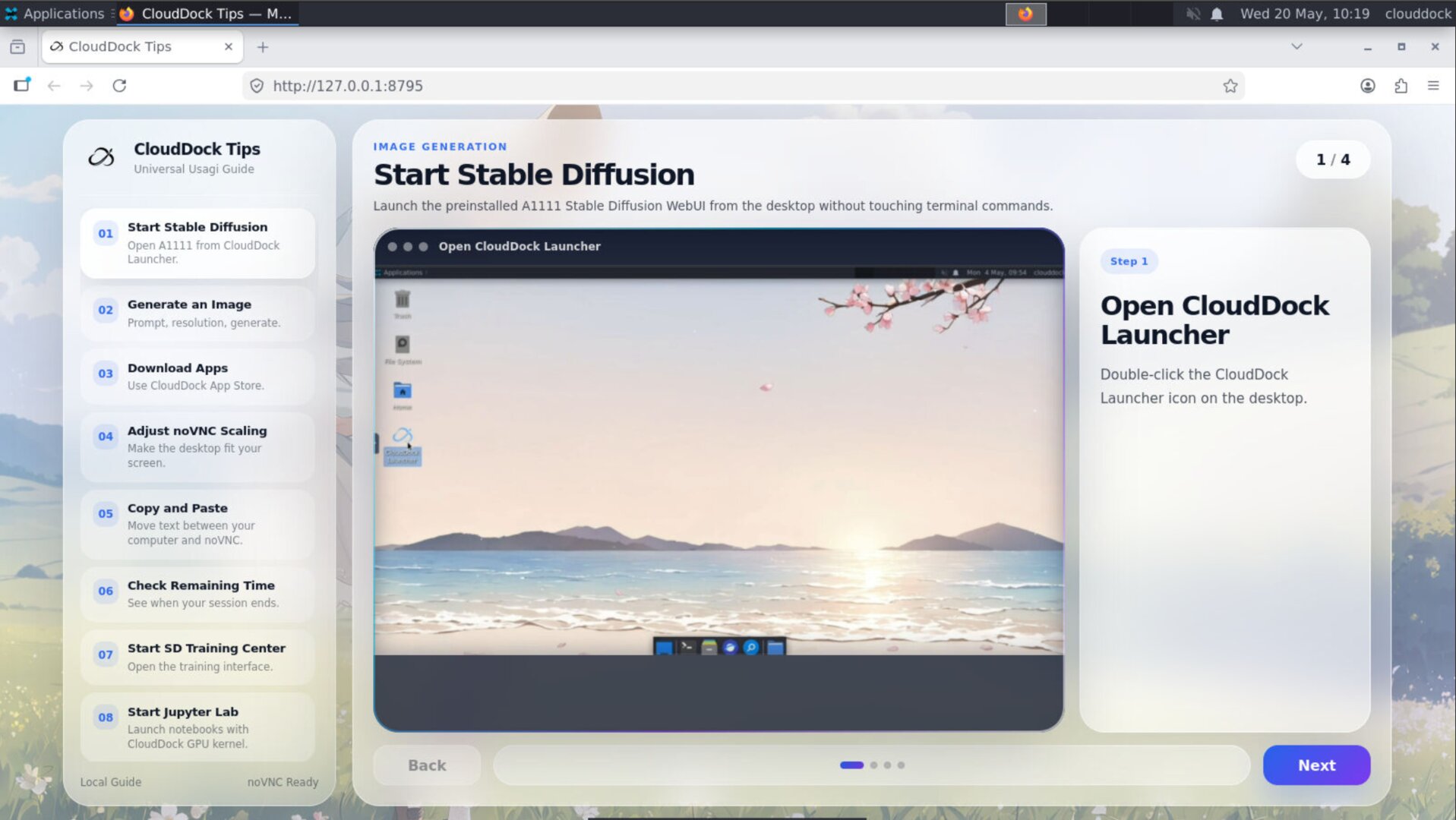
Universal 4.1 Beta 7 adds a new desktop app: CloudDock Tips.
Tips is a system tutorial app designed for users who are new to CloudDock, Stable Diffusion, or the Usagi environment. Instead of making users read a long external document before they can start, Tips provides video-style guidance directly inside the desktop.
What Tips teaches
- How to open Stable Diffusion WebUI: where to click, what to wait for, and how to confirm that the WebUI is ready.
- How to generate your first image: basic prompt entry, generation button, and output location.
- How to understand the desktop environment: common app locations, launcher behavior, and basic usage flow.
- How to avoid beginner confusion: simple explanations for common “what is happening?” moments during startup or generation.
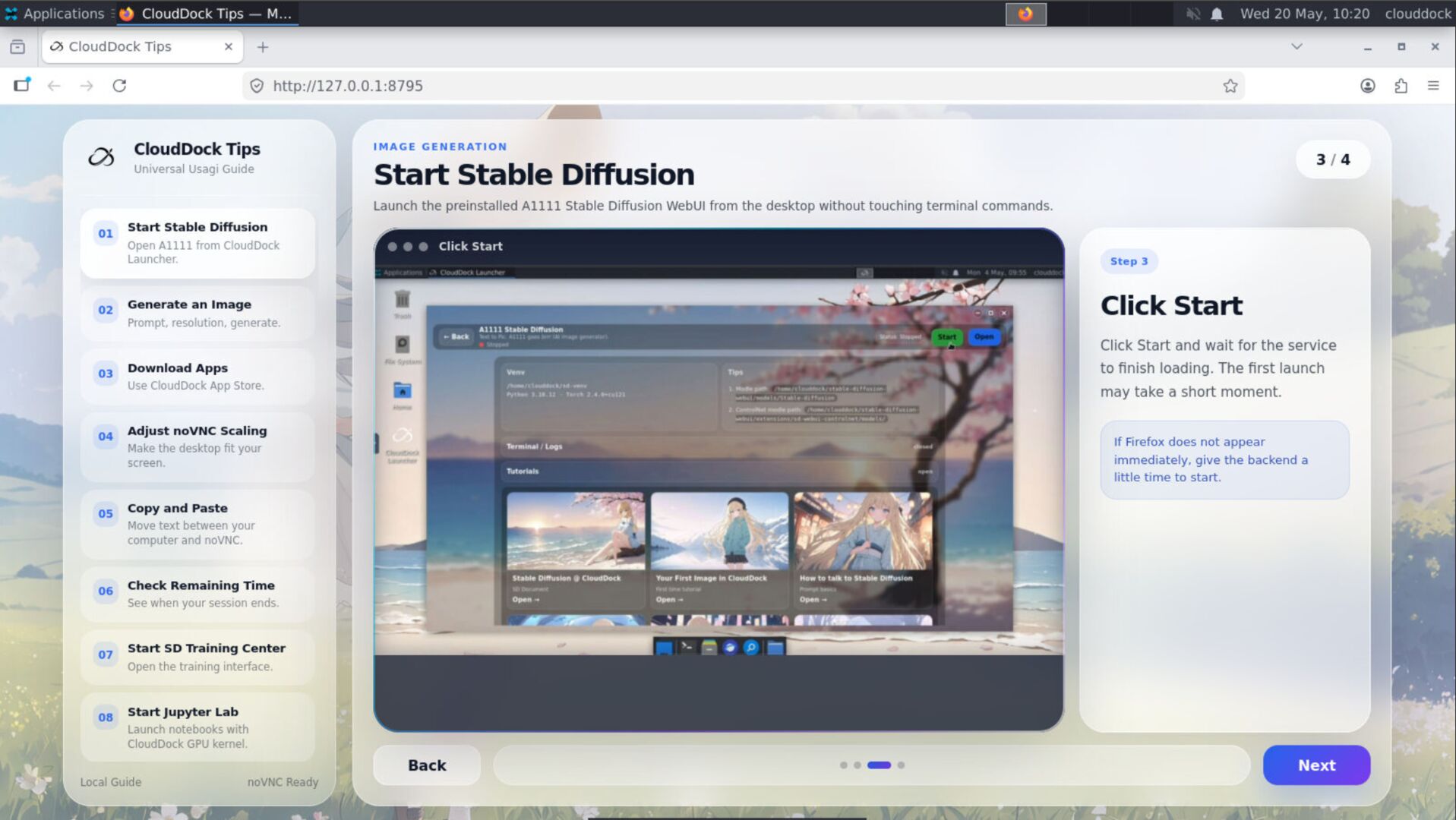
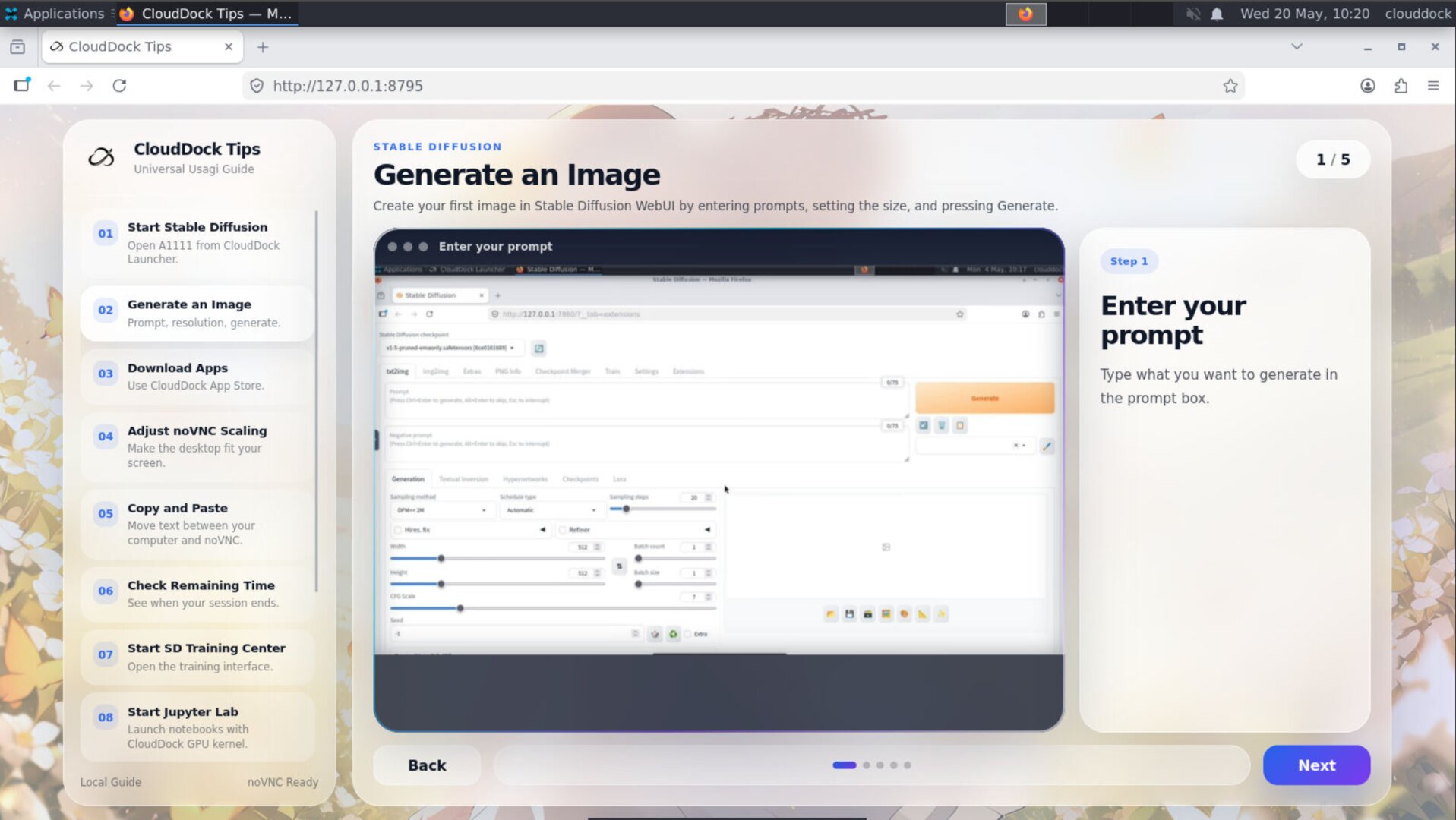
This is a small feature with a big purpose: reduce support friction, make onboarding friendlier, and turn the container from “powerful but intimidating” into something users can actually learn inside the system.
ComfyUI & Flux inference preview
The biggest technical addition in Universal Usagi 4.1 Beta 7 is early adaptation for ComfyUI and Flux.
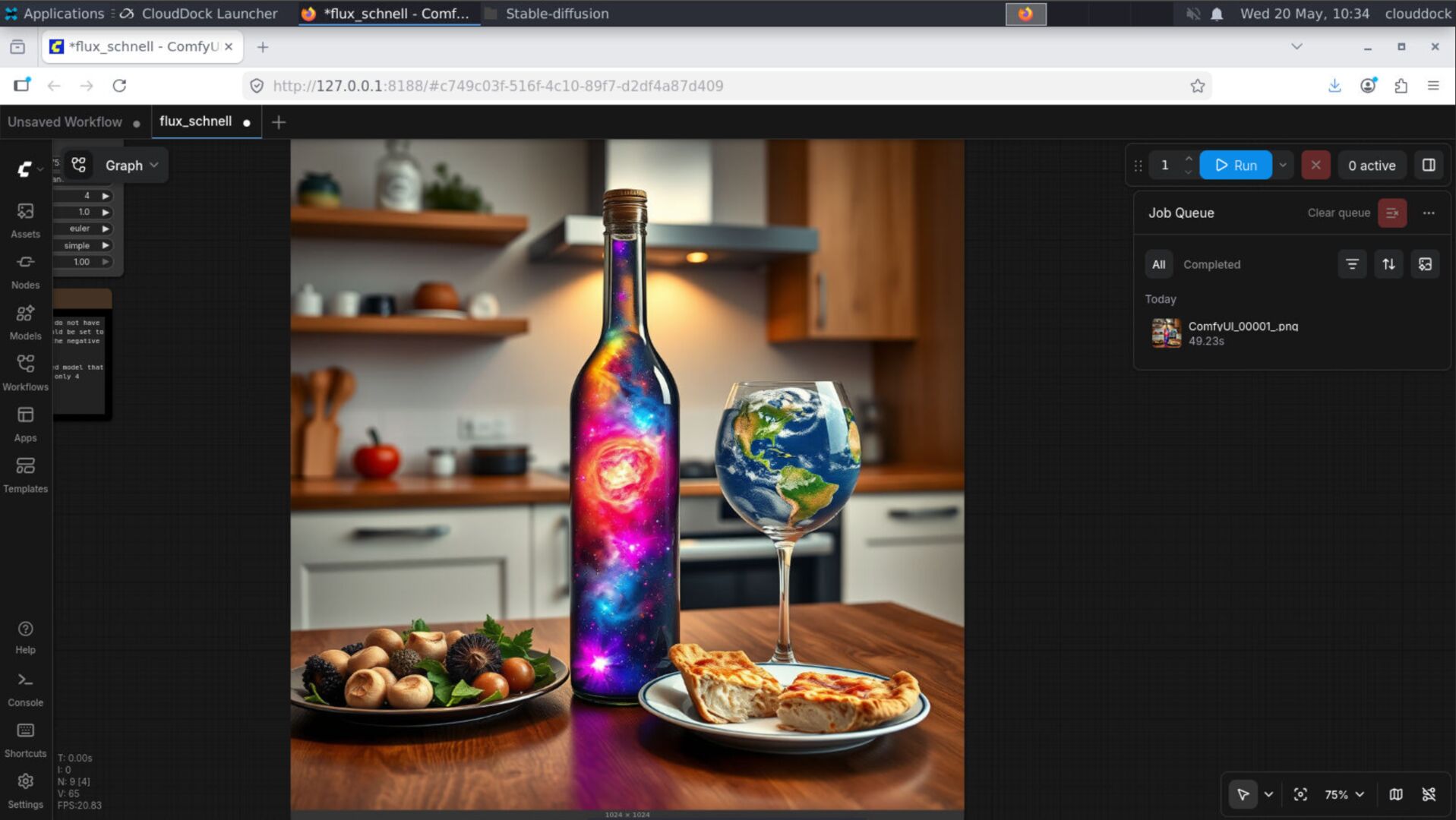
In plain language: Usagi 4.1 Beta 7 can run ComfyUI and Flux image generation workflows. Users can open ComfyUI inside the CloudDock environment and test Flux-based inference without manually assembling every dependency, model path, and workflow component from scratch.
Why ComfyUI matters
ComfyUI uses a node-based workflow. Instead of hiding the entire generation pipeline behind one interface, it exposes models, encoders, samplers, VAEs, and outputs as connected nodes. This gives advanced users more control over modern image generation workflows.
However, that flexibility also makes setup more difficult. Model placement, workflow files, node connections, and dependency compatibility can quickly become confusing. Usagi 4.1 Beta 7 starts reducing that setup burden by bringing ComfyUI into the CloudDock environment as a preview-ready module.
Flux inference preview
Flux support in 4.1 Beta 7 is focused on inference: loading a Flux workflow, running image generation, and validating that the environment can support the newer generation stack.
- ComfyUI launch support: users can run ComfyUI inside the Usagi desktop environment.
- Flux workflow adaptation: 4.1 Beta 7 includes early environment support for Flux-style inference workflows.
- Model path preparation: the environment is organized to make model loading less chaotic.
- CloudDock 4.2 preview direction: ComfyUI and Flux are part of the broader Universal 4.2 experience path.
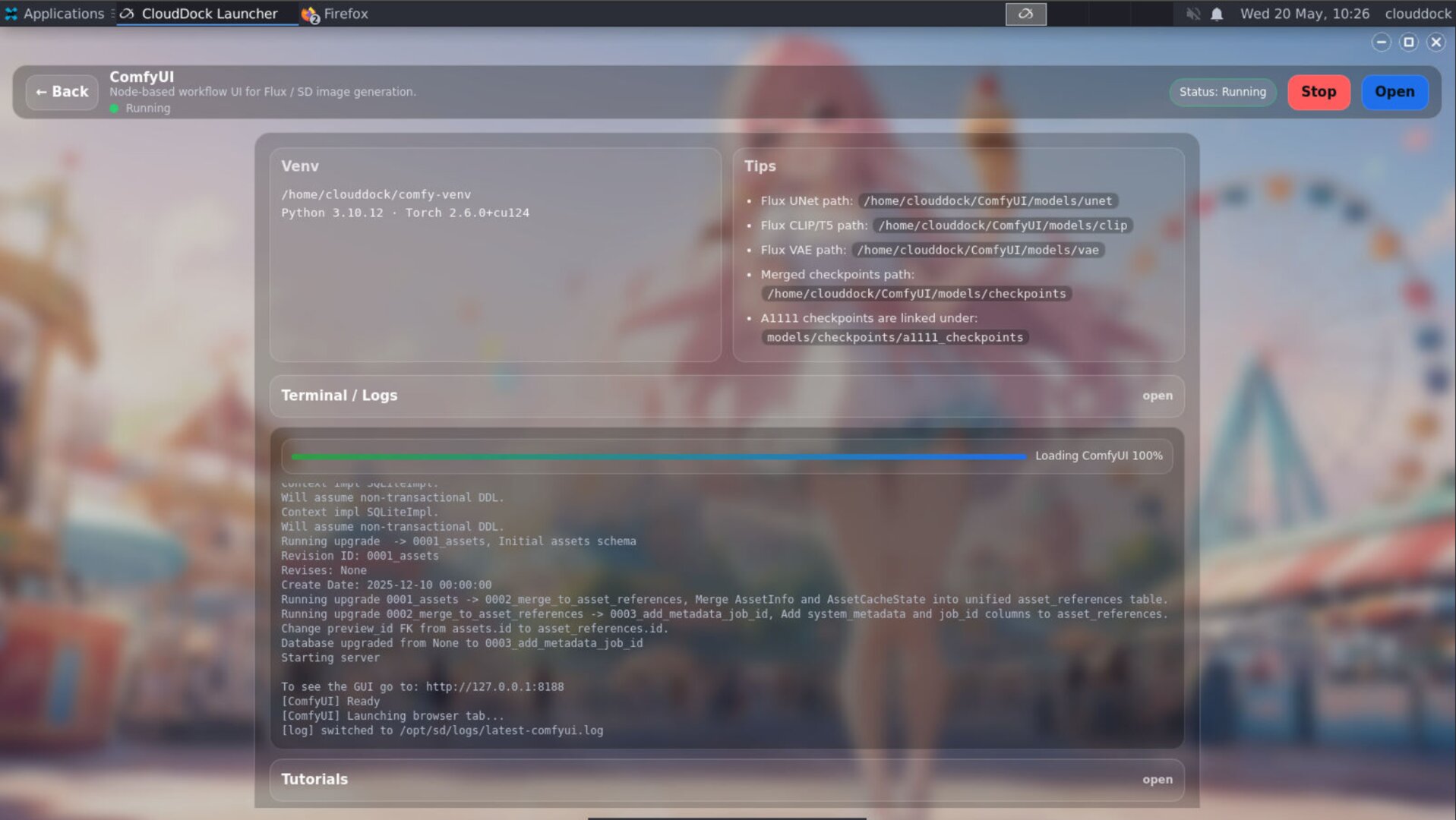
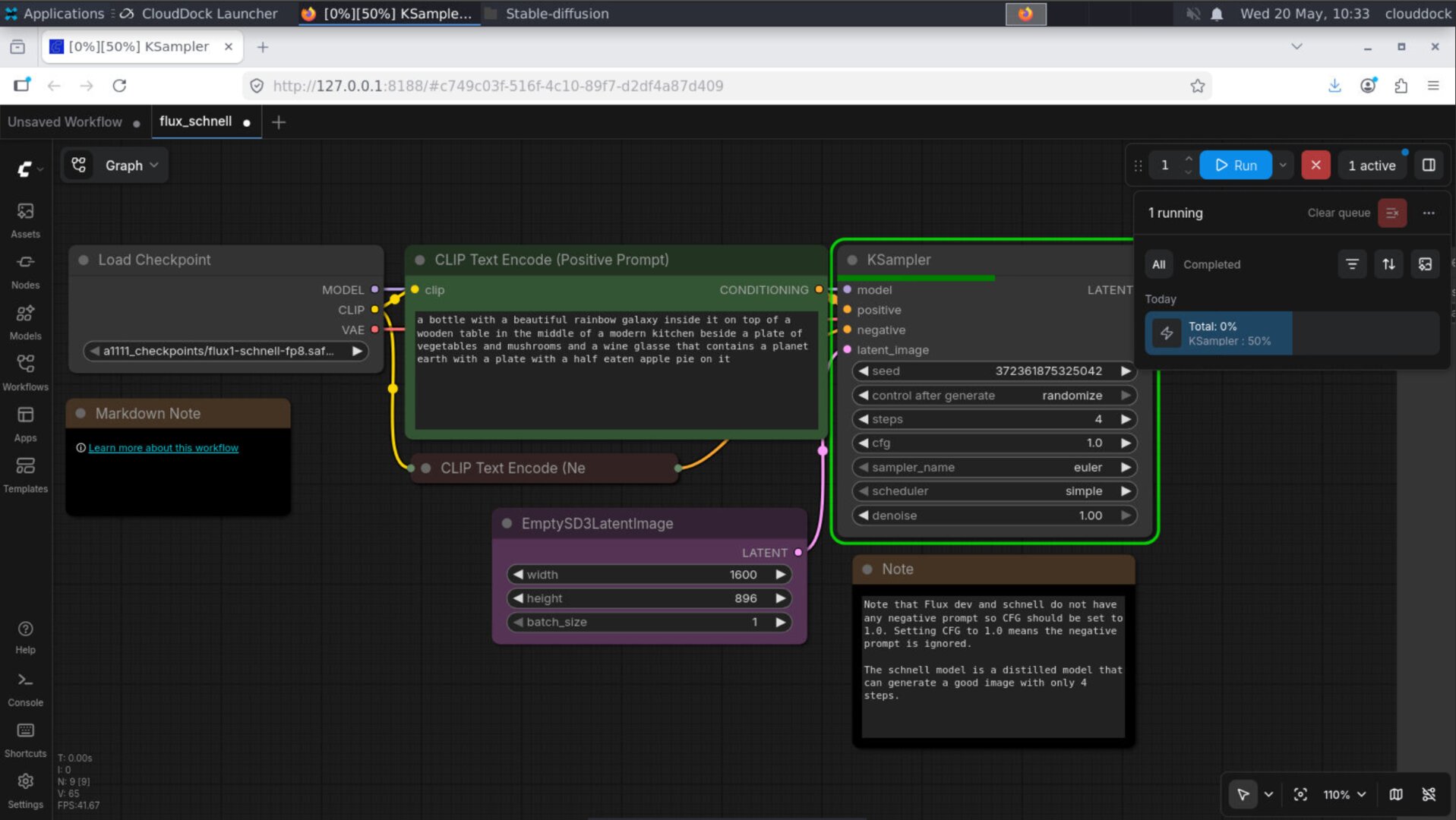
This is still a preview module, not the final 4.2 ComfyUI experience. Some workflows may still require careful model selection or manual adjustment. But the important part is that the base environment is now capable of running ComfyUI and Flux inside Usagi.
SD Training Center training optimization
Universal 4.1 Beta 7 also updates CloudDock SD Training Center with a training behavior fix around epoch calculation and repeat handling.
In previous behavior, one epoch could effectively run through the dataset far more times than expected. In practical terms, the old behavior could feel like one epoch behaving like dozens of passes, which made training length, cost, and results harder to predict.
4.1 Beta 7 corrects this behavior so Training Center follows a more reasonable epoch structure. Training runs should now be easier to estimate, easier to explain, and less likely to accidentally overtrain because of hidden repeat behavior.
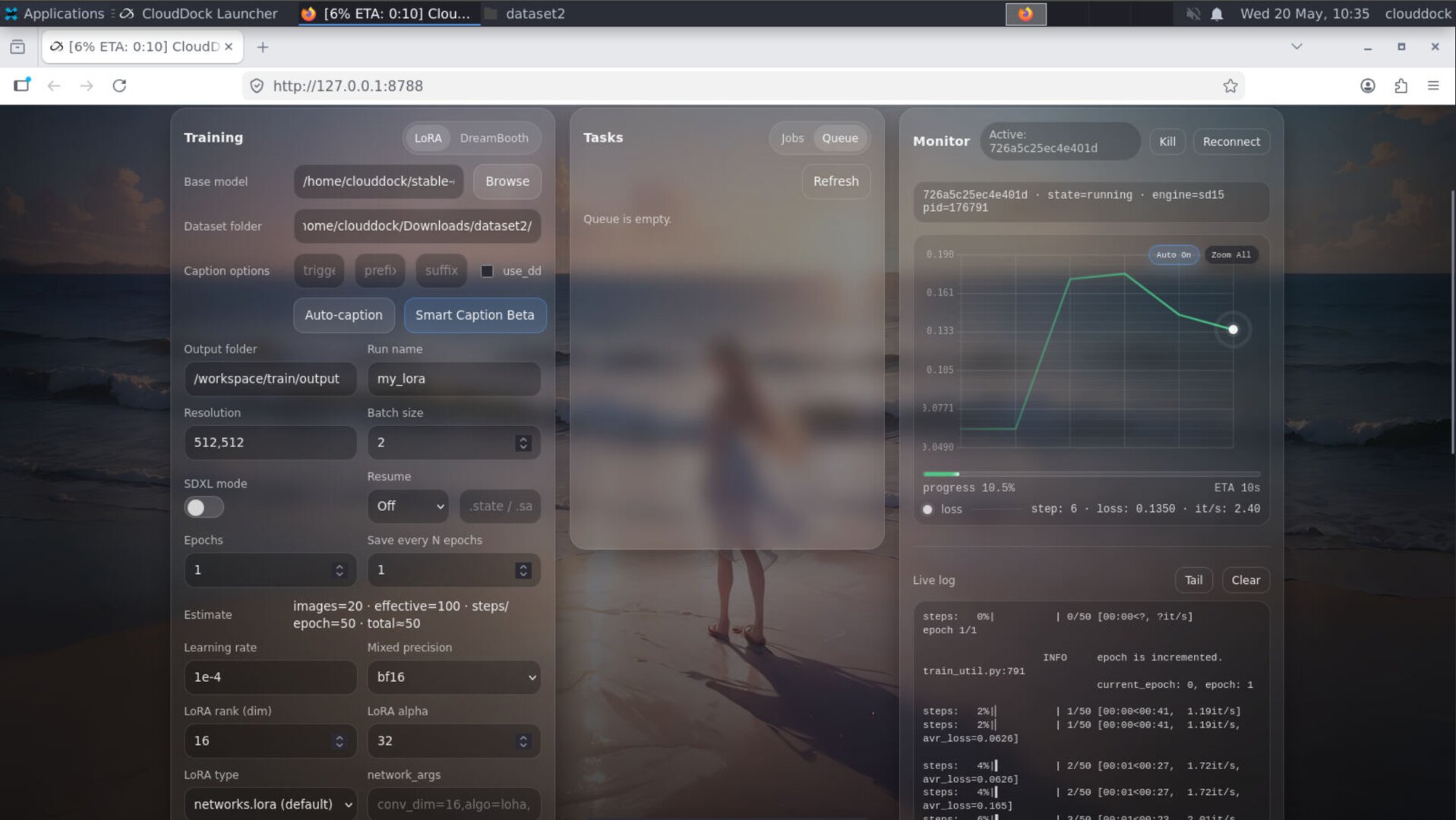
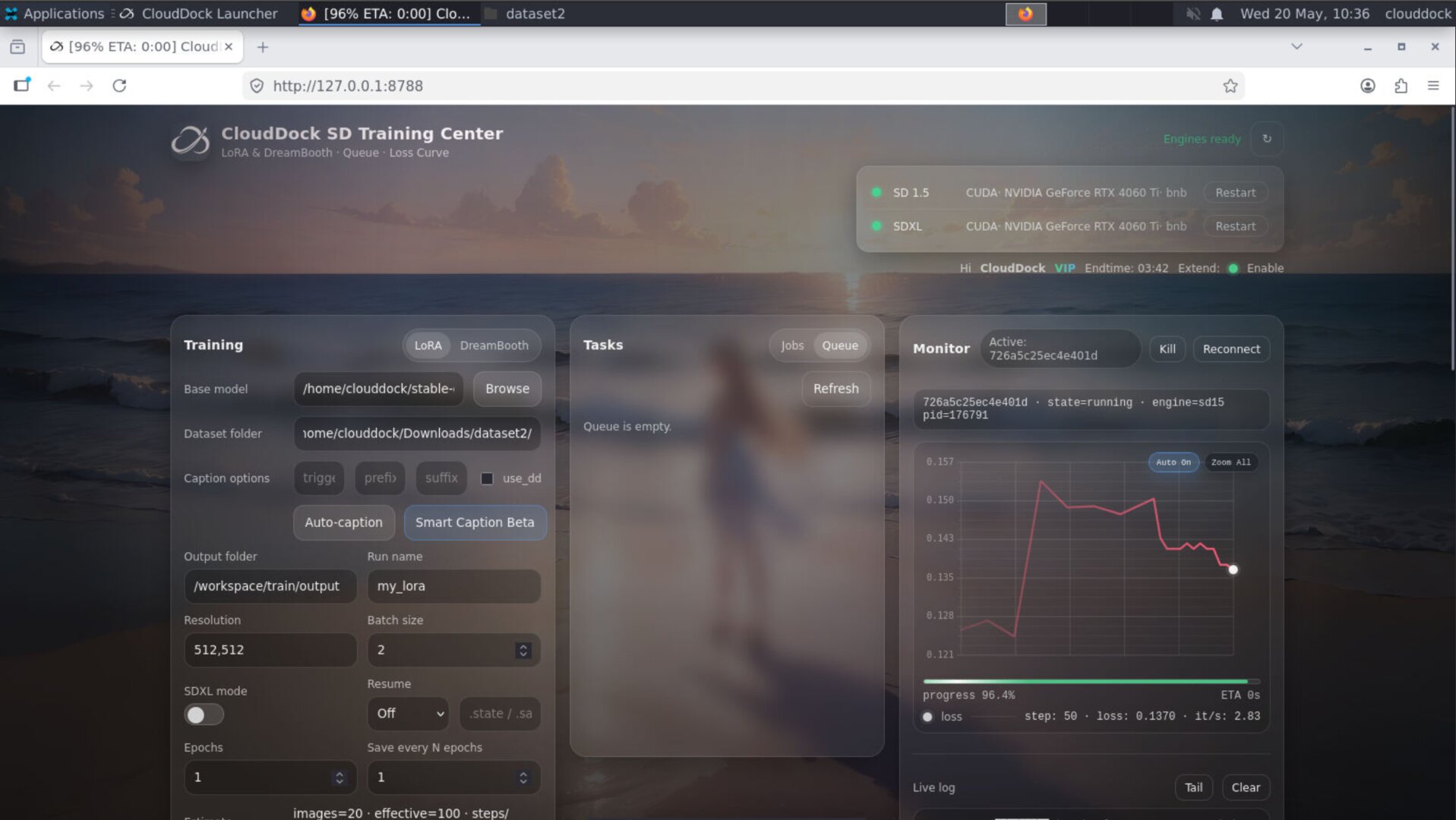
Epoch behavior fix
- More reasonable epoch behavior: one epoch no longer behaves like an excessive number of dataset passes.
- Better training predictability: users can plan training duration and cost with less guesswork.
- Reduced overtraining risk: fewer accidental long runs caused by aggressive repeat behavior.
- Cleaner defaults: Training Center now uses settings that better match what users expect from an epoch-based workflow.
Quick Checks
watch -n 1 nvidia-smips aux | grep -i comfy | grep -v grepps aux --sort=-%mem | head -n 10du -h --max-depth=1 /workspace 2>/dev/null | sort -hTroubleshooting
- Launcher still feels slow: close unused browser tabs or heavy applications inside the container, then reopen the Launcher. 4.1 Beta 7 improves performance, but active AI workloads can still consume significant CPU, RAM, and VRAM.
- Tips app does not open: restart the desktop session or relaunch CloudDock Launcher. Tips is a new desktop app and may require the current session to fully refresh after an image update.
- Stable Diffusion tutorial does not match your screen: make sure you are running Universal Usagi 4.1 Beta 7 or later. Older images may not include the same Launcher layout or Tips app.
- ComfyUI opens but Flux does not generate: check model files, workflow file compatibility, and VRAM usage. Flux workflows can require large model files and may fail if the selected model stack does not match the workflow.
- Flux generation runs out of VRAM: try a lighter workflow, lower resolution, or confirm that no other GPU-heavy process is already using VRAM.
- Training time looks different from older jobs: this is expected. 4.1 Beta 7 fixes overly aggressive epoch / repeat behavior, so new jobs may estimate and run differently from older builds.
- Training results differ from older settings: review epoch count, repeat count, learning rate, and dataset size. The corrected epoch behavior may require adjusting old presets.