
Overview
Usagi 4.0 Beta 7 is the “everything clicks” release for the Stable Diffusion stack on CloudDock. A1111 launch time drops from about 1:45 in early Usagi builds to roughly 15 seconds at worst. CloudDock SD Training Center grows up with LoRA resume, .safetensors export, Smart Caption Beta, and automatic dataset path alignment. On top of that, Training Center finally adds a full SDXL training path and a dual-engine status panel that lets you watch — and stop — SD 1.5 and SDXL independently.
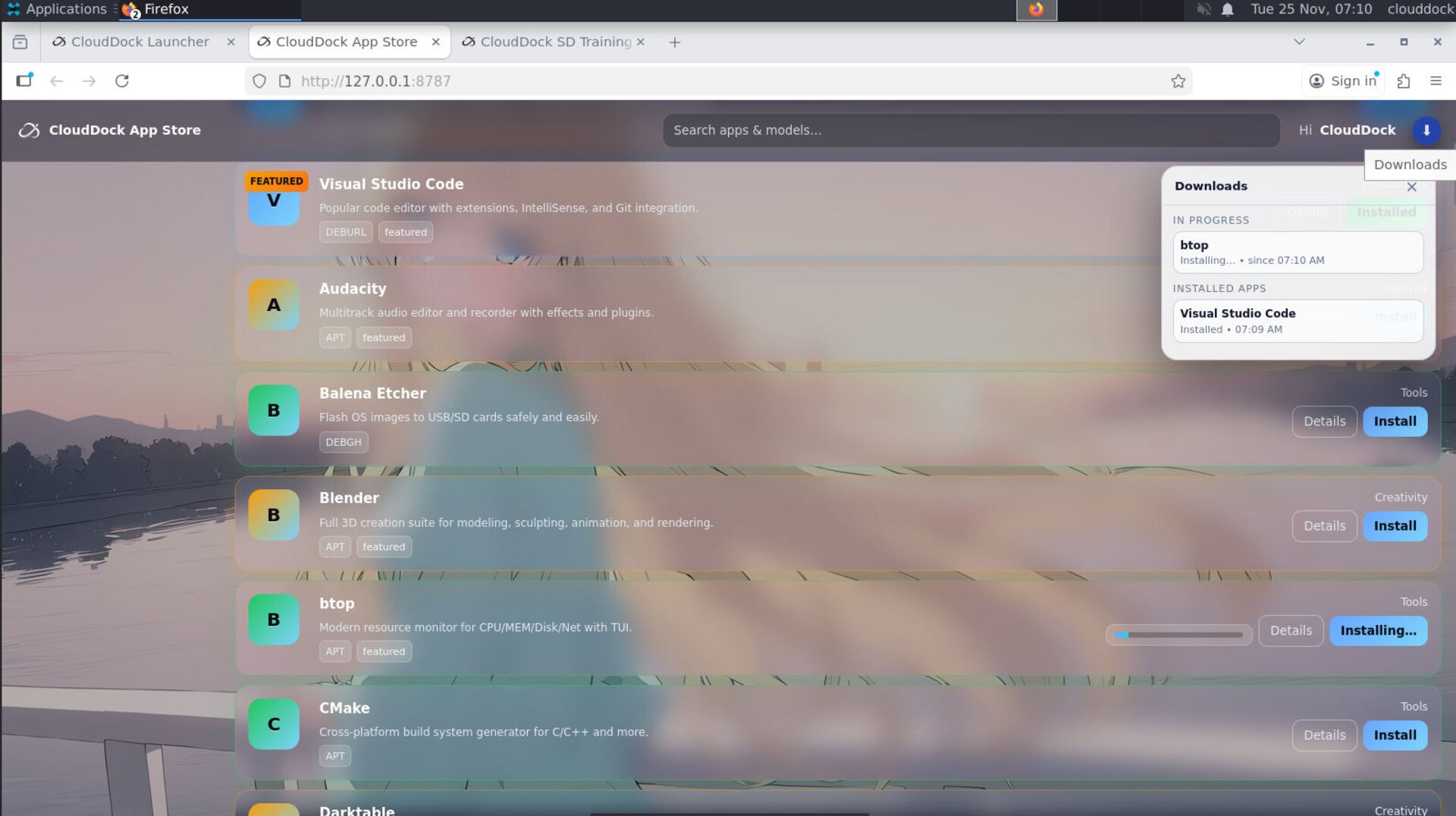
Outside the training world, CloudDock App Store 3.0 lands with a completely redesigned UI: app detail pages, screenshots, ratings, download counts, and a persistent download manager that remembers your state even if you refresh the page or reopen the session.
What’s new vs Beta 6
- A1111 launch in ~15 seconds: core engine and models are prepped so that the part of startup you actually wait on shrinks from ~1:45 to “enough time to generate one image.”
- Training Center upgrades:
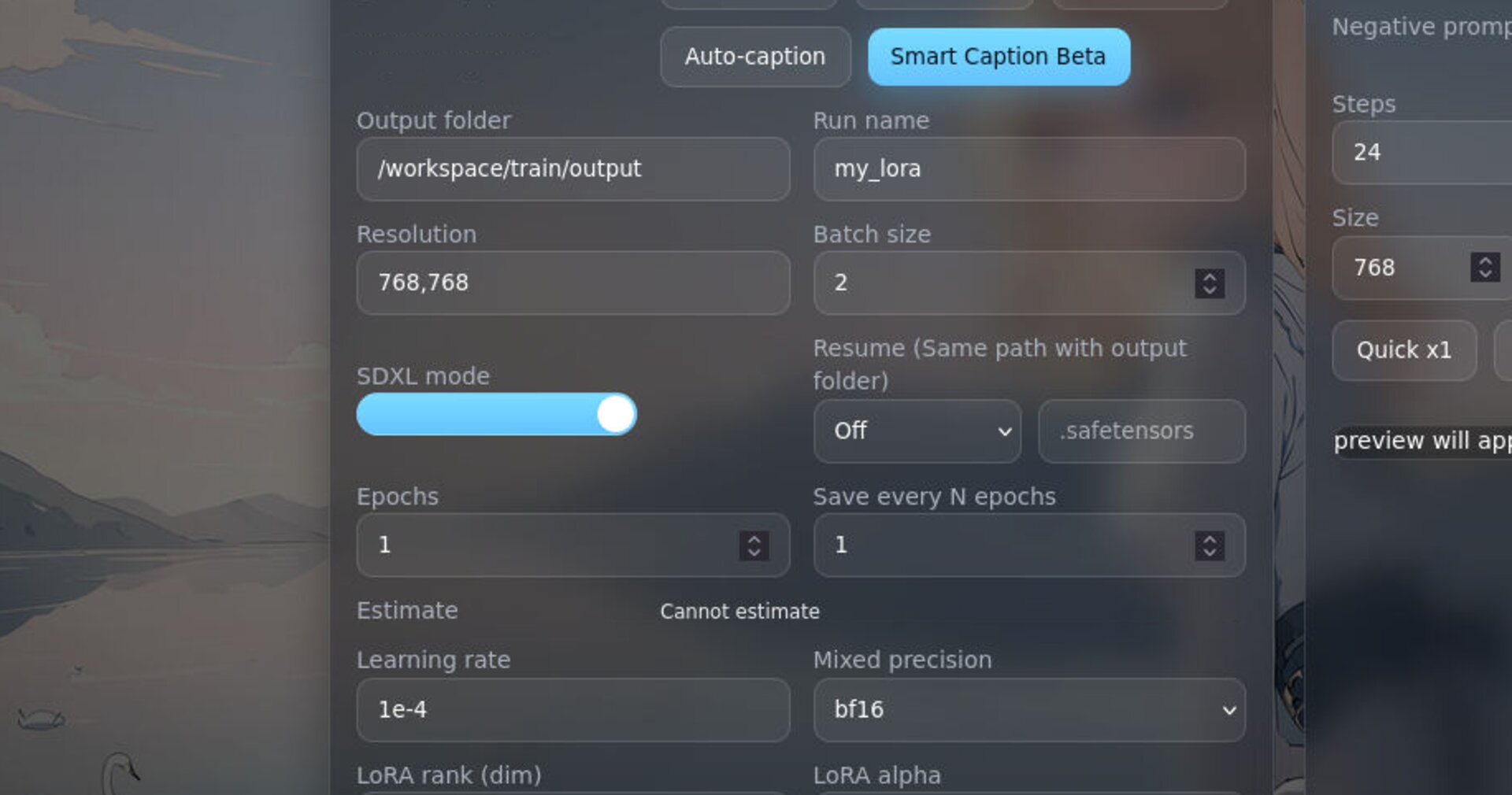
.safetensorsexport, LoRA resume, Smart Caption Beta with more controls, step/epoch estimates, and automatic dataset path recalibration. - SDXL training support: built-in SDXL training scripts and a dual-engine (1.5 & XL) monitoring panel that shows which engine is busy and lets you stop either one.
- CloudDock App Store 3.0: new detail pages with screenshots, ratings, and download counters plus a real download manager that keeps your install status across reloads.
A1111 launch: from 1:45 down to ~15 seconds
In early Usagi 4.0 (Beta 4 / Beta 5), the target was to get you from desktop to A1111 WebUI in about 1:45, down from Momonga’s multi-minute cold starts. With Beta 7, the startup path is aggressively streamlined:
- more of the pipeline is pre-warmed in the background;
- unnecessary blocking steps are removed or parallelized;
- model and backend readiness tests are simplified.
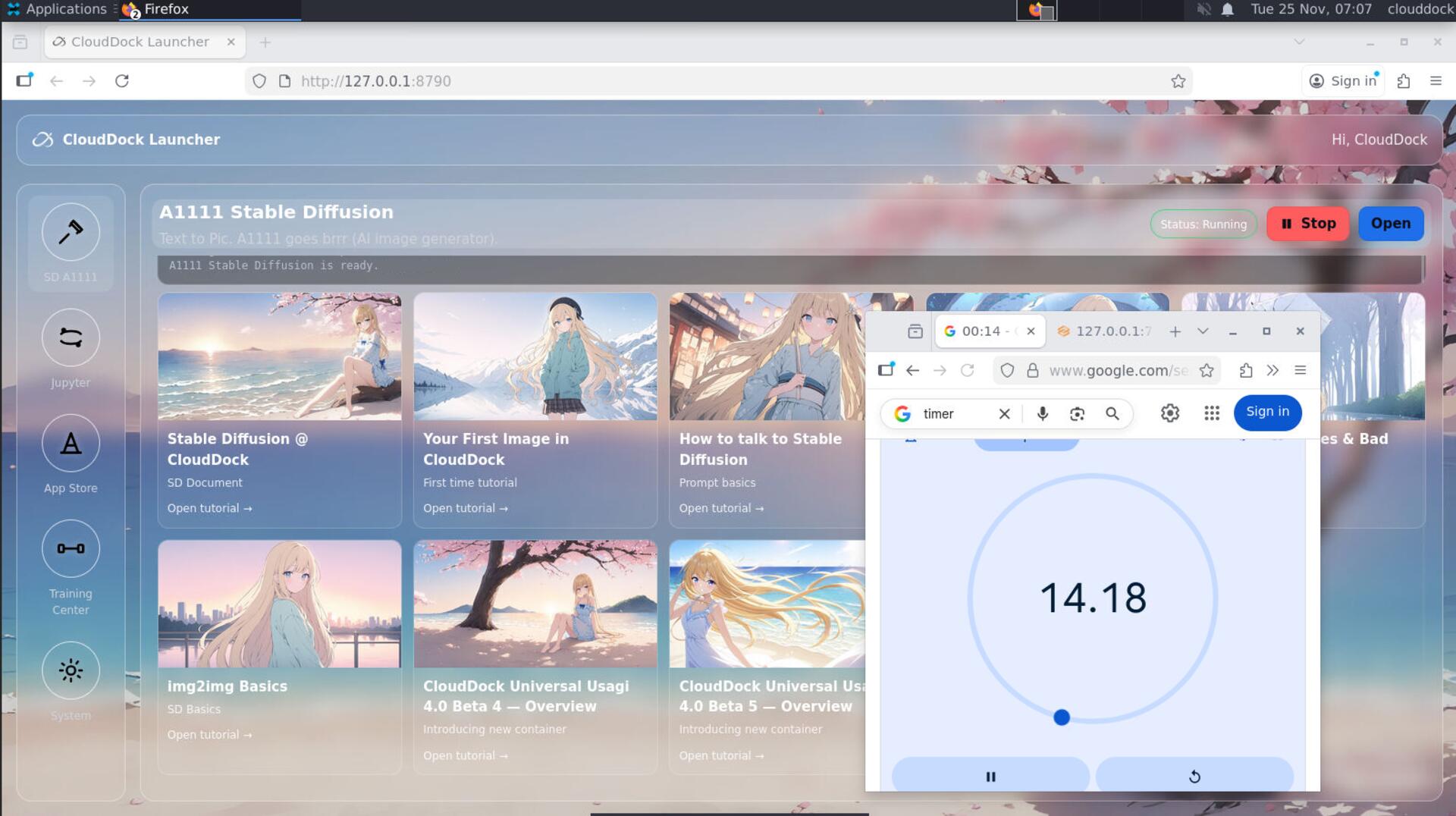
The practical result: even slow starts are now around 15 seconds for the A1111 portion. That used to be enough time to finish a small txt2img job; now it is just how long you wait for the UI to be ready. The warmup bar introduced in Beta 5 still exists — it just fills a lot faster.
CloudDock SD Training Center — smarter runs
CloudDock SD Training Center in Beta 7 focuses on making runs recoverable, portable, and less painful to configure.
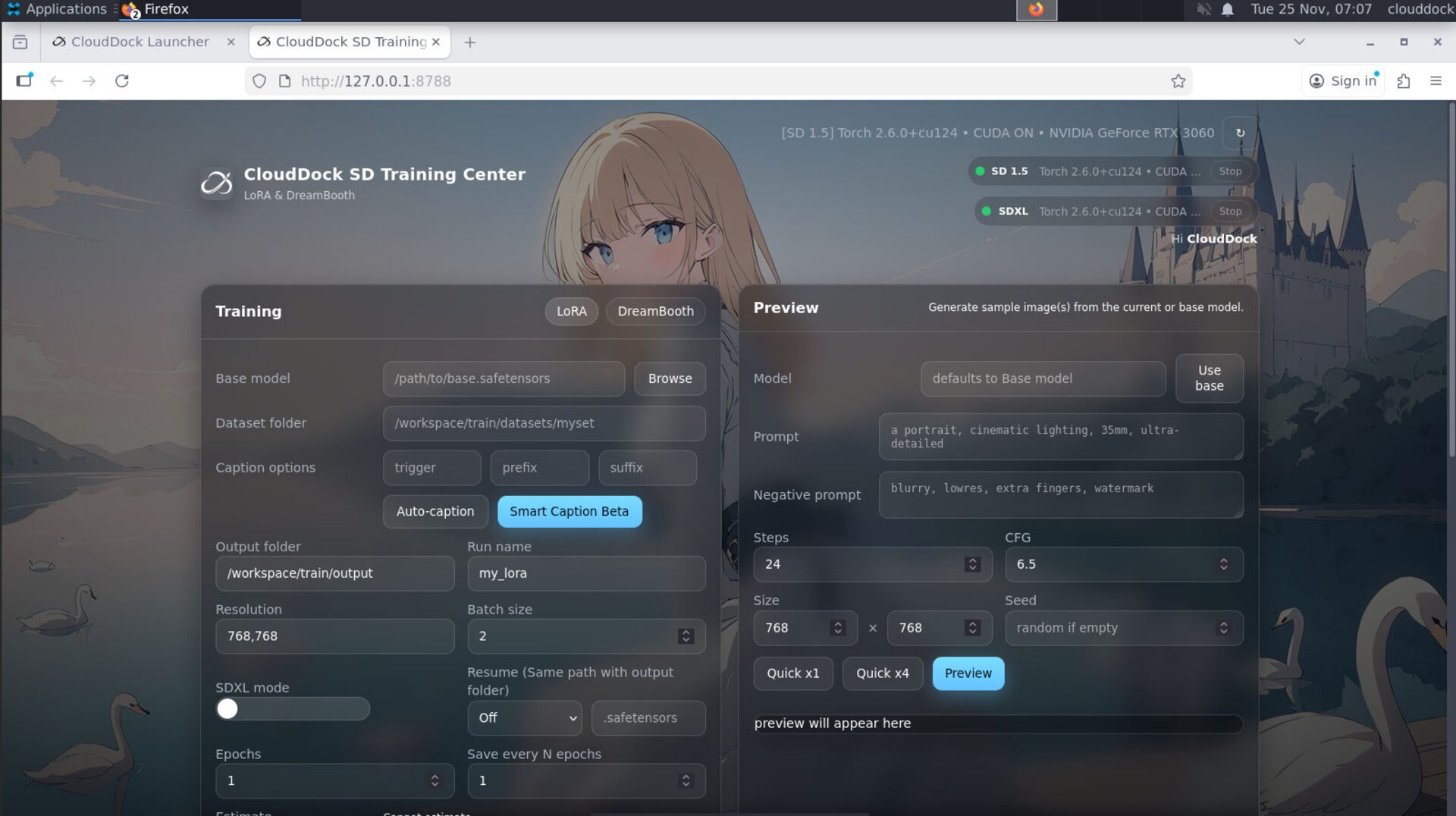
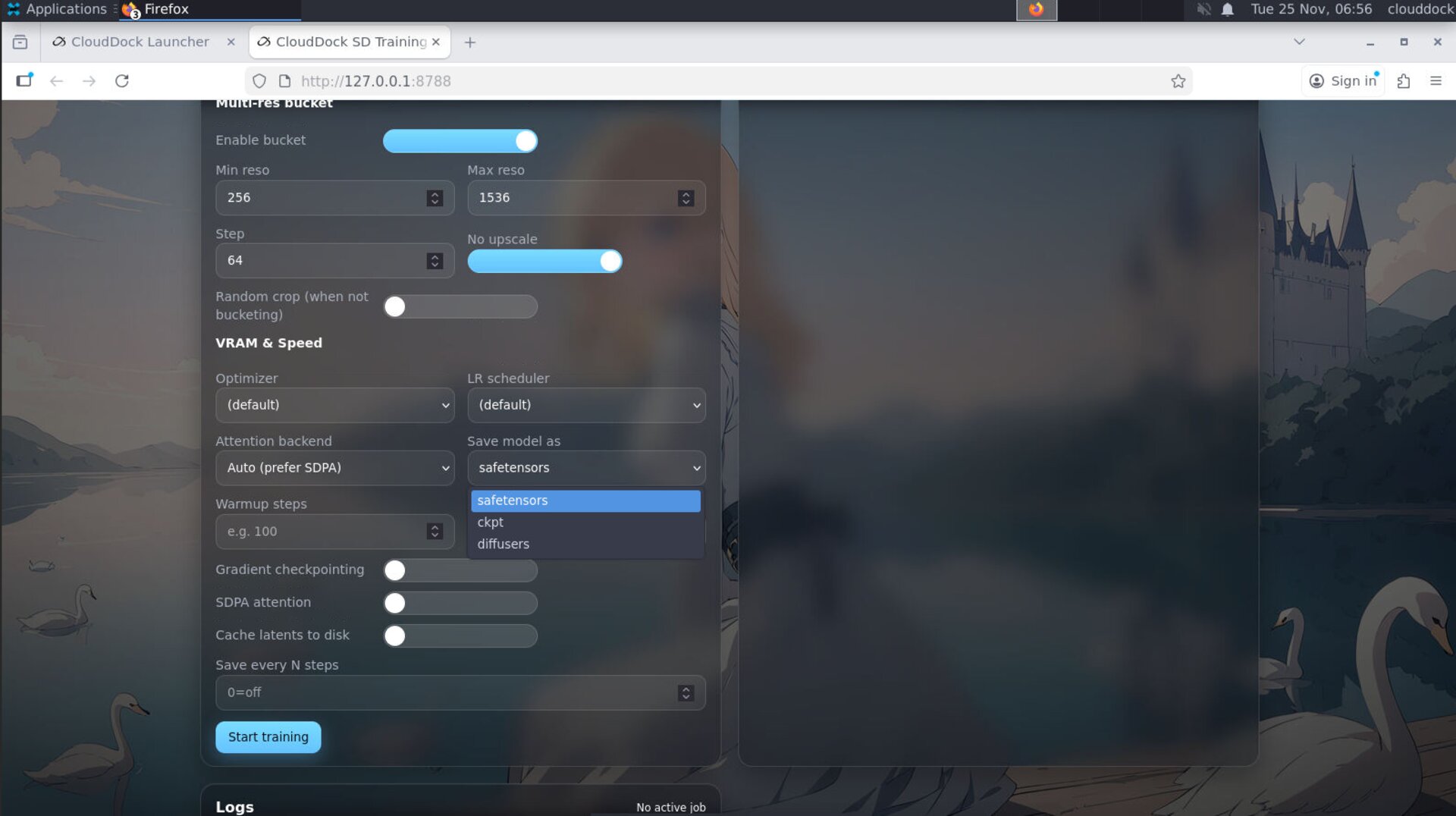
.safetensors export and resume options for your LoRA..safetensors export & LoRA resume
- .safetensors export: LoRA outputs are now saved in
.safetensorsformat, making them easier to move, load in A1111, and share without worrying about legacy formats. - LoRA resume: you can take an existing LoRA checkpoint and continue training it, instead of starting over from scratch. This is especially useful when you want to “nudge” a model slightly after seeing how it behaves in A1111.
Smart Caption Beta & dataset helpers
Smart Caption Beta replaces the old “Auto Caption” pass with a more considered caption pipeline:
- more knobs to tune caption behavior to your dataset and style;
- better defaults so single-character / waifu datasets get usable captions out of the box;
- clearer separation between “describe the image” vs. “emphasize character identity” use cases.
Step/epoch estimates & automatic dataset paths
- Epoch and step estimates: Training Center gives you a clearer estimate of total steps per epoch so you can plan runtimes and costs instead of guessing.
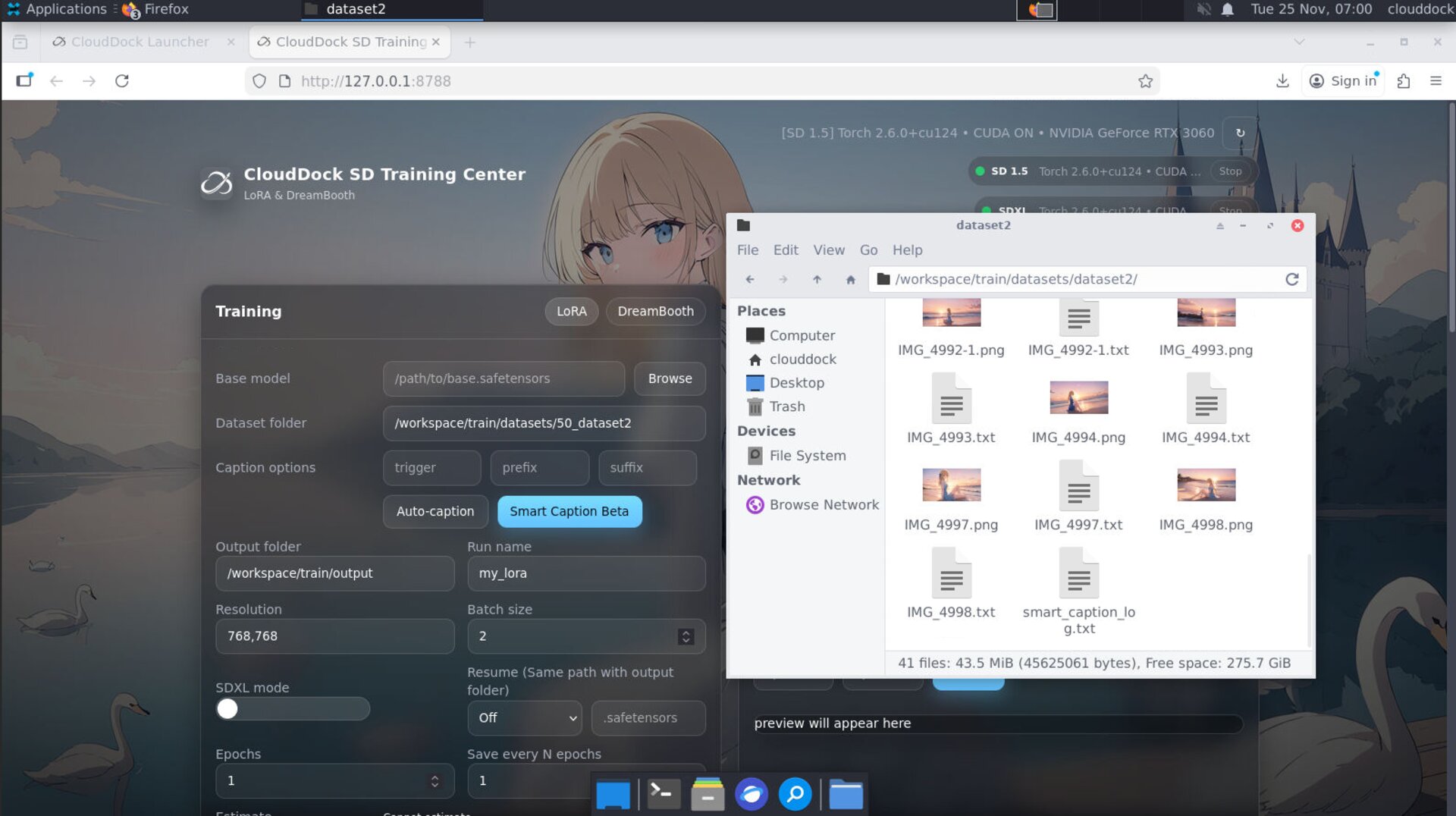
- Automatic dataset path alignment: when you reorganize or rename dataset folders, Training Center can auto-adjust paths and keep the front-end and backend in sync, reducing “path not found” surprises after you tidy up your files.
SDXL training & dual-engine panel
Beta 7 is also the release where SDXL training becomes a first-class citizen in CloudDock SD Training Center.
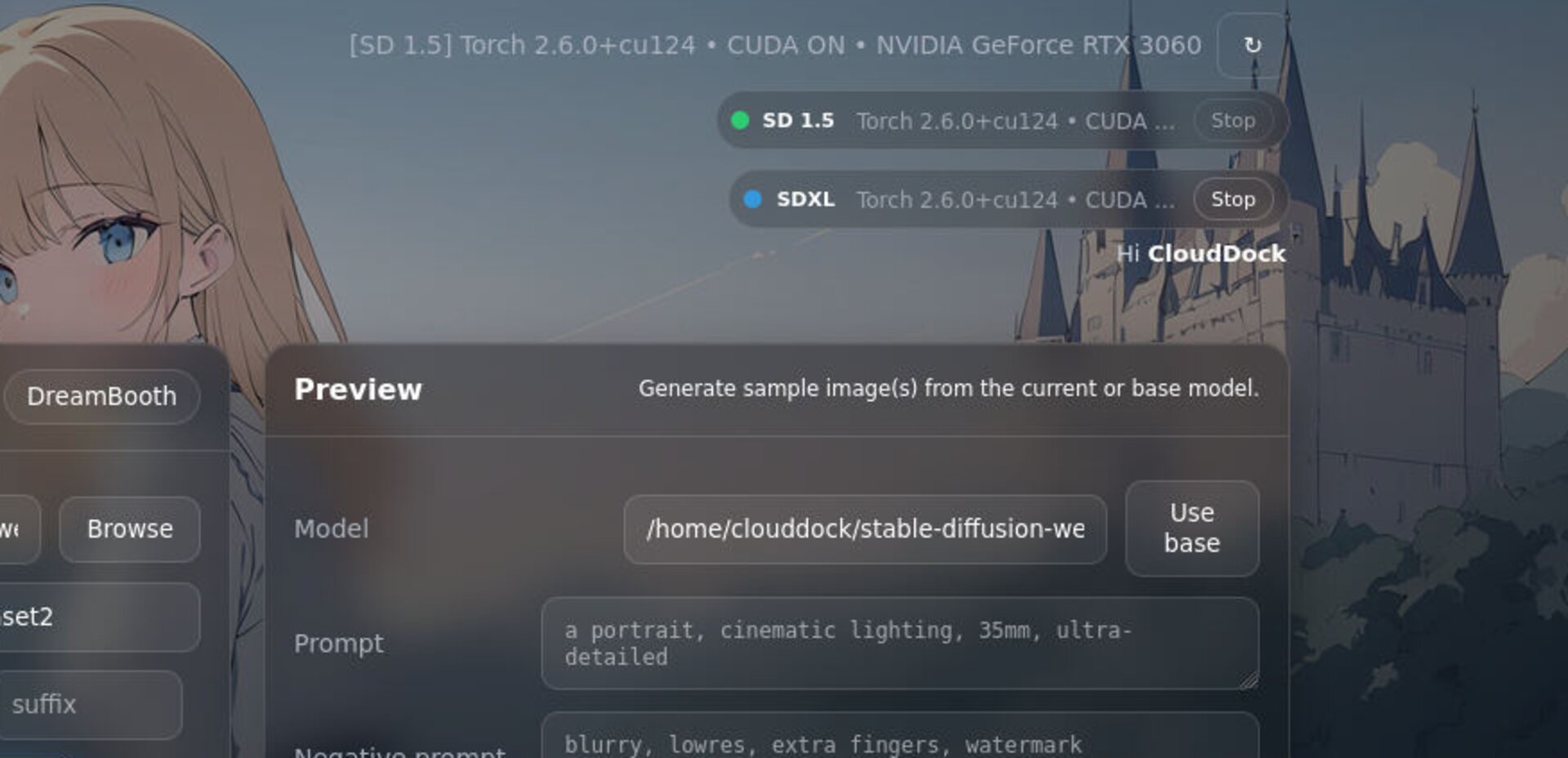
Key pieces:
- SDXL training scripts: Training Center now ships with a separate SDXL script path tuned for XL, instead of trying to bolt SDXL onto the 1.5 flow.
- Dual-engine environment view: a dedicated panel shows whether the SD 1.5 engine and the SDXL engine are idle or busy, plus basic environment hints (like which venv they are using).
- Selective stop: you can stop either engine independently — for example, halt SDXL training while leaving ongoing SD 1.5 LoRA jobs alone.
This makes it much more realistic to run mixed workloads: keep SD 1.5 fine-tuning for production-style LoRAs while experimenting with SDXL on the same container, and use the dual-engine panel as the “traffic light” for what your GPU is actually doing.
CloudDock App Store 3.0
App Store 3.0 is a complete redesign of the CloudDock app and model store. It moves from “a list of buttons” to something closer to a real store with context:
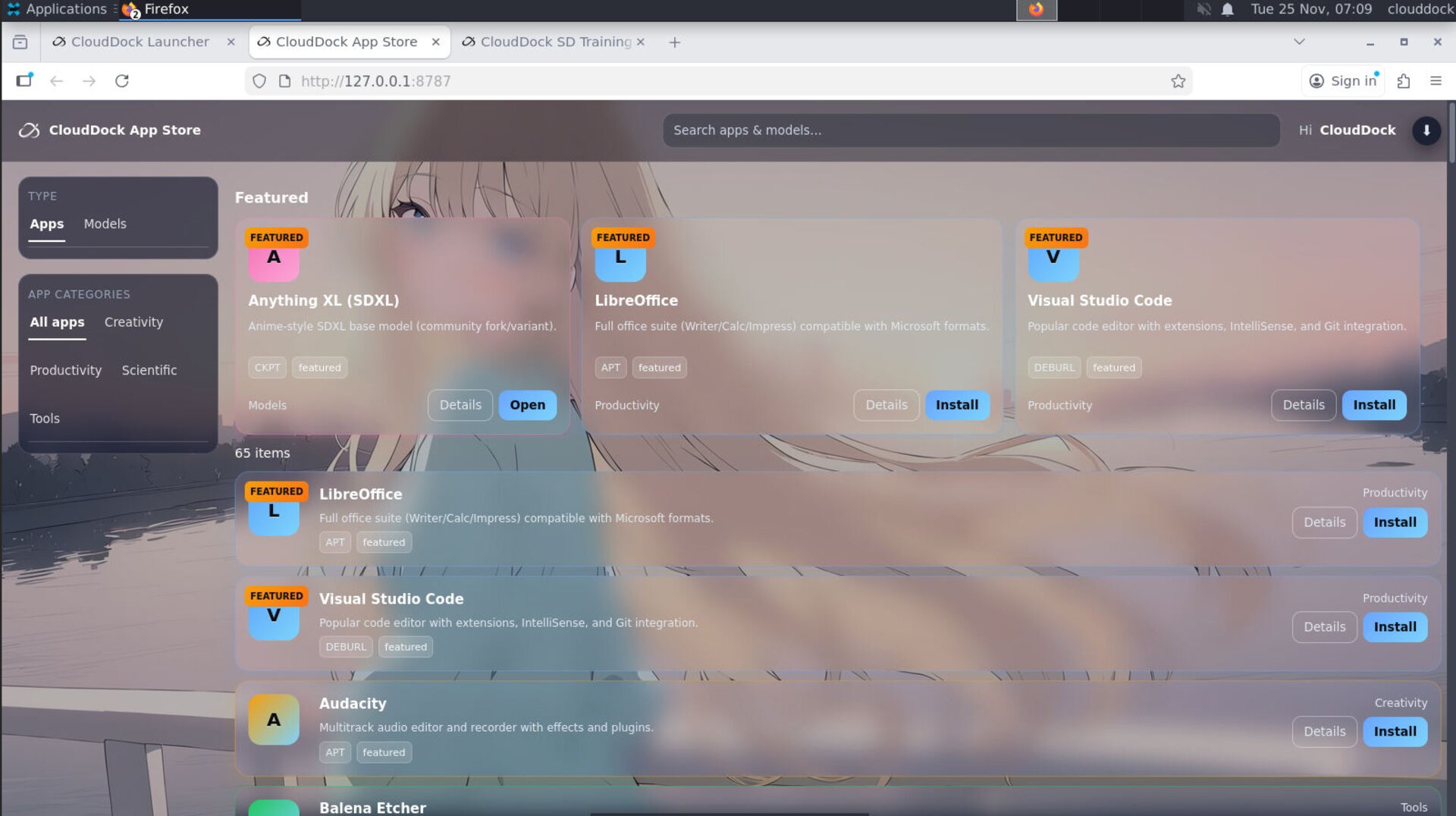
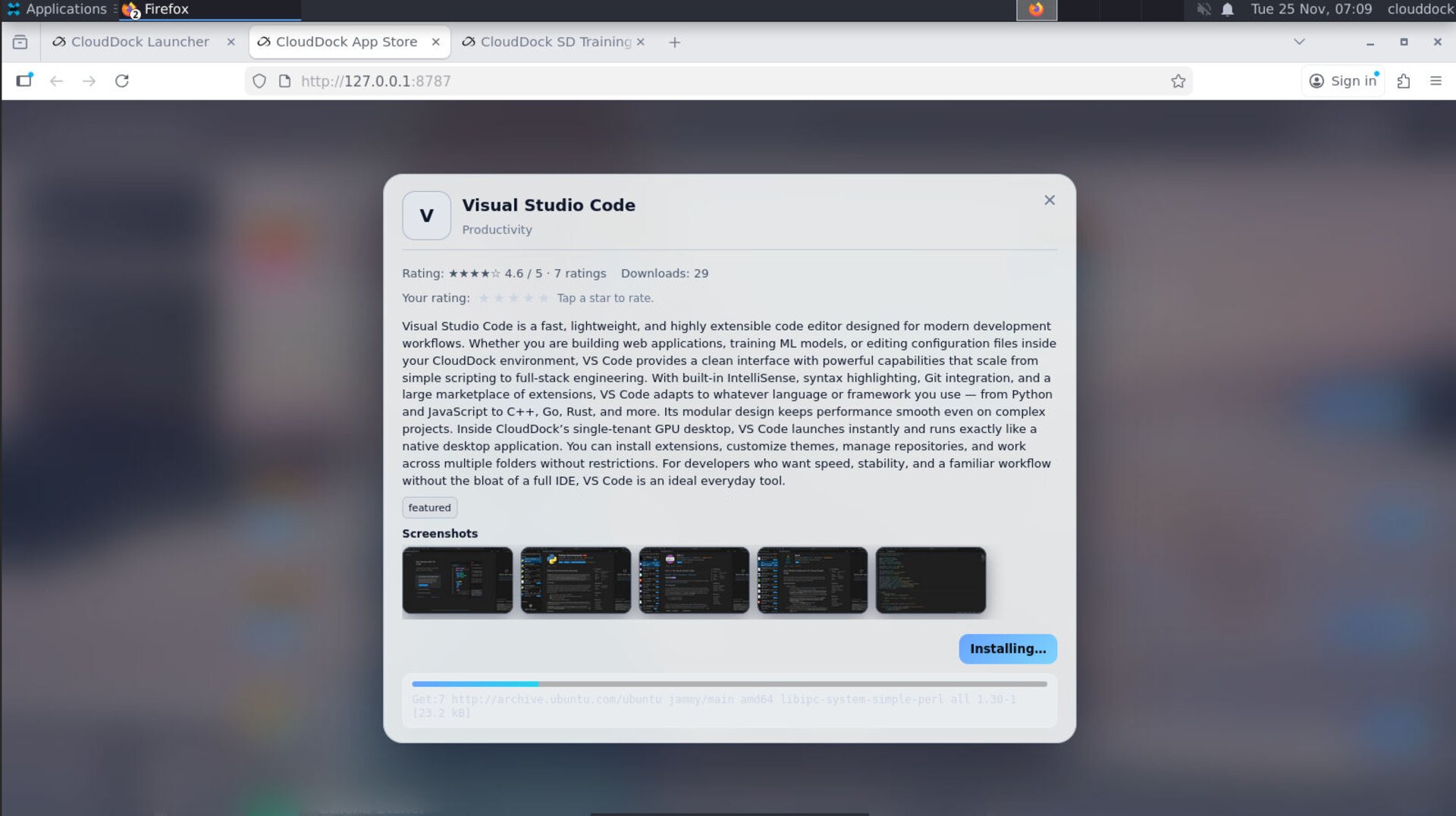
App detail pages, screenshots, and ratings
- Detail pages: each app has a dedicated detail view with a longer description and technical notes.
- Screenshots: preview how the app looks inside the container before you install it.
- Ratings & download counts: see which apps are widely used and how they’re rated by other CloudDock users.
Persistent downloads & progress
Earlier App Store versions had a simple progress bar that disappeared if you refreshed the page or reopened the container. App Store 3.0 introduces a proper download manager layer:
- Job state survives refresh: installing, installed, failed — the state is remembered even if you reload the page.
- Progress bars that match reality: progress indicators follow the actual backend job instead of starting from zero every time.
- Install status that sticks: the App Store remembers what you already installed; list and detail views agree on whether an app is present.
Quick Checks
# From container start to WebUI ready
# Expect A1111 to be usable in ≈15 s
watch -n 1 nvidia-smips aux | egrep "sd15|sdxl"tail -n 50 /opt/cd-train/logs/*.logls -lh /opt/cd-app/jobsTroubleshooting
- A1111 still feels slow to start: confirm you are on Usagi 4.0 Beta 7, then check whether an unusually large model is selected. Try restarting A1111 from the Launcher and see if the warmup bar still takes far longer than ~15 s.
- LoRA resume not available: ensure that the original run finished cleanly and produced a
.safetensorscheckpoint recognized by Training Center. Partial or corrupted runs may not be resumable. - Dataset paths break after reorg: open the job in Training Center and let the automatic dataset path recalibration run. If paths still fail, double-check folder names and permissions.
- SDXL panel shows busy but nothing happens: verify that no stale SDXL process is hanging in the background using
ps aux. If needed, stop the SDXL engine from the dual-engine panel and restart the container. - App Store progress stuck: if a job appears stuck for a long time, wait for the job timeout and starting it again. If repeated installs fail, contact support with the app name and error time.